A complete and practical guide to WhatsApp Ads
Content
WhatsApp Ads is one of the most powerful advertising solutions for companies looking to reach their audience in a direct and personalised way. With over 2 billion active users worldwide, WhatsApp is a key marketing channel for improving customer relationships and optimising sales. However, WhatsApp does not yet offer an integrated advertising system like Facebook or Instagram, but it does allow companies to create ads on Facebook Ads Manager that direct users directly to a conversation on WhatsApp Business.
In this blog post, we will explore all the features of WhatsApp Ads, how to create effective campaigns, what the requirements are for companies, and the best practices to maximize results. In addition, we will see how to integrate WhatsApp Ads campaigns with Spoki, a powerful automation tool, to optimize lead management and improve communication with customers.
How WhatsApp Ads Work
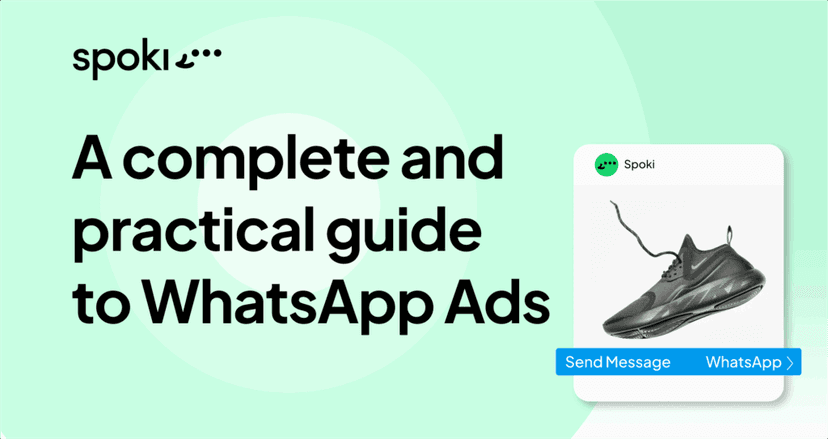
WhatsApp Ads work through the Facebook Ads Manager system, which allows you to create advertisements on Facebook and Instagram with the aim of directing users to a conversation on WhatsApp. When a user clicks on the ad, a chat is automatically opened on WhatsApp Business where the company can continue the conversation, offer support, or propose personalized offers.
Here are the main steps to create a WhatsApp Ads campaign:
- Access Facebook Ads Manager: To create a WhatsApp campaign, you will need to use Facebook Ads Manager, Facebook and Instagram’s advertising management tool.
- Choose a campaign objective: When creating your campaign, you can select “Messages” as the campaign objective. In this case, you can choose WhatsApp as the destination channel to receive messages from potential customers.
- Set your target audience: As with any Facebook or Instagram campaign, you can set your target audience based on demographics, interests, behaviors, and geographic areas.
- Configure the initial message: You can set a welcome message or a personalized question that will be sent automatically to the user when they start the conversation on WhatsApp.
- Optimize budget: Set the daily or total budget of the campaign, also choosing its duration.
Once the campaign is activated, each click on the ad will take the user directly to a conversation on WhatsApp. This makes WhatsApp Ads a powerful tool for generating leads and initiating personalized interactions with customers.
Requirements for Using WhatsApp Ads
To use WhatsApp Ads, there are some requirements that must be met:
- WhatsApp Business Account: Your company must have a WhatsApp Business account linked to your company’s Facebook page. WhatsApp Business is the application that allows businesses to interact with customers and offers advanced features such as automatic replies, contact labeling, and product catalog management.
- Company Facebook Page: Since WhatsApp Ads are created through Facebook Ads Manager, you need to have a company Facebook page linked to your advertising account.
- Access to Facebook Ads Manager: Advertising campaigns must be managed through Facebook Ads Manager. This means you need to be able to create and manage ads on this platform and be familiar with campaign setup.
- Integrating WhatsApp with Facebook: When creating the campaign, you will need to ensure that the WhatsApp Business account is correctly linked to the Facebook page. This will allow you to set WhatsApp as the destination for messages.
Best Practices for WhatsApp Ads
WhatsApp Ads offer a unique opportunity for companies to initiate direct and personalized communication with customers. However, to get the most out of campaigns, it is important to follow some best practices.
1. Create an Engaging Initial Message
One of the most important aspects of WhatsApp Ads is the welcome message that users will see when they start a conversation. This message should be engaging, clear, and invite action. For example, if you’re promoting an offer or discount, make sure the initial message refers to that promotion in an appealing way.
2. Segment Your Audience Effectively
As with all marketing campaigns, good audience segmentation is essential for the success of WhatsApp Ads. Use data from Facebook Ads Manager to precisely define your target based on demographics, interests, and online behavior. This will allow you to send the right message to the right person, increasing the chances of conversion.
3. Use Automatic Replies on WhatsApp
One of the advantages of WhatsApp Business is the ability to use automatic replies to respond instantly to customer messages. Set up automatic replies that provide useful information, such as store opening hours or the time needed for a more detailed response. This helps manage customer expectations and maintain high engagement.
4. Personalize the Interaction
Once the user has started the conversation, it is essential that the interaction is as personalized as possible. Use the customer’s name, answer questions quickly, and, if possible, offer customized promotions or suggestions based on their needs. A personalized approach increases the customer’s level of trust and improves the overall experience.
5. Monitor and Optimize Performance
Use the analysis tools in Facebook Ads Manager to monitor your campaign performance. Keep an eye on metrics such as CTR (click-through rate), message open rate, and conversation duration. Based on this data, you can make changes to your strategy, improving the effectiveness of future campaigns.
Enhance WhatsApp Ads Campaigns with Spoki
Spoki is an advanced tool that leverages the WhatsApp Business APIs to automate and efficiently manage conversations with customers. By integrating Spoki with your WhatsApp Ads campaigns, you can improve lead management, optimize communication, and increase conversions. Here’s how:
1. Follow-Up Automation
One of the most complex aspects of WhatsApp Ads campaigns is managing follow-up with customers who start a conversation. Spoki allows you to automate this process by sending personalized follow-up messages to customers who have interacted with the campaign but have not completed a desired action (e.g., a purchase). This way, you can keep engagement high without having to manually manage each interaction.
2. WhatsApp Lead Management
With Spoki, you can manage leads collected through WhatsApp Ads in an advanced way. You can classify contacts based on various criteria (such as interest in a specific product or the stage of the sales funnel they are in) and send targeted messages based on their needs. This segmentation allows you to improve the conversion rate and offer a more personalized customer experience.
3. Creation of Custom Message Sequences
Spoki allows you to create automatic message sequences, which can be activated based on customer behavior. For example, you can send a sequence of messages that thanks the customer for starting the conversation, followed by a reminder about a limited offer and, finally, a request for feedback. These sequences improve the customer experience and keep their attention focused on the brand.
4. Integration with CRM and Marketing Data
One of the main advantages of Spoki is the ability to integrate WhatsApp with other marketing tools, such as your CRM. In this way, the data collected from WhatsApp conversations can be synchronized with your CRM, allowing you to have a complete view of the customer and further improve your marketing strategies.
Conclusion
WhatsApp Ads offer companies a unique opportunity to start direct and personalized conversations with their customers. However, to fully exploit the potential of this channel, it is essential to combine WhatsApp Ads with advanced tools such as Spoki, which automate and improve the management of conversations and leads.
Do you want to integrate WhatsApp Marketing into your business?
Start with a free account on Spoki and launch your first campaigns with 5€ of included credit.
Or contact us to build your winning strategy together. We are waiting for you!