How to integrate Facebook ADS forms with WhatsApp
Content
If you operate in the world of social advertising, this article is for you: with Spoki you can send a WhatsApp message to the user who has just filled out your Lead form on Facebook!
How many times have you activated lead generation campaigns on Facebook, and after a few days, the interested users had completely forgotten about your offer? Or how many times have you sent welcome emails to new customers that were never opened?
Now imagine intercepting the user on Facebook and sending them information instantly on WhatsApp, this way you can move the customer to a “less noisy” channel and keep their attention high on your content!
In this email, I will briefly show you how you can implement this strategy through the integration between Spoki and Facebook ADS using Zapier.
Step 1: Create the campaign on Facebook
Create your lead generation campaign on Facebook. Set the goal and create your form. Enter the contact fields you deem appropriate.
N.B. remember to request the user’s phone number, otherwise you will not be able to send them a WhatsApp message.
Step 2: Create the zap on Zapier
After setting up and publishing the Facebook ADS form, open Zapier.
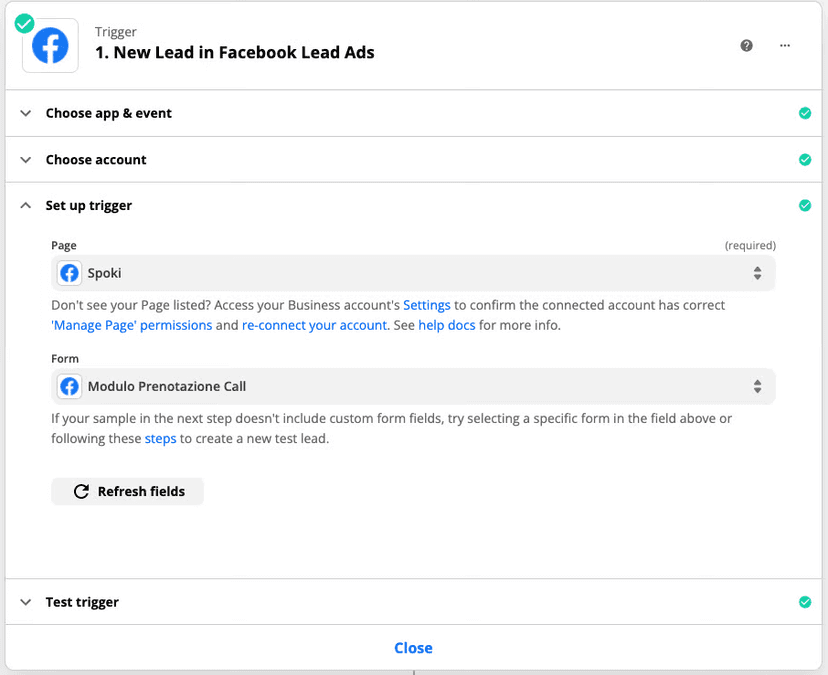
Select the Facebook ADS form as the Trigger, and then select the event Trigger, which in this case will be New Lead. Proceed with the configuration by selecting the Facebook account, the contact form you created in the acquisition campaign, and perform a test to make sure everything is working correctly.
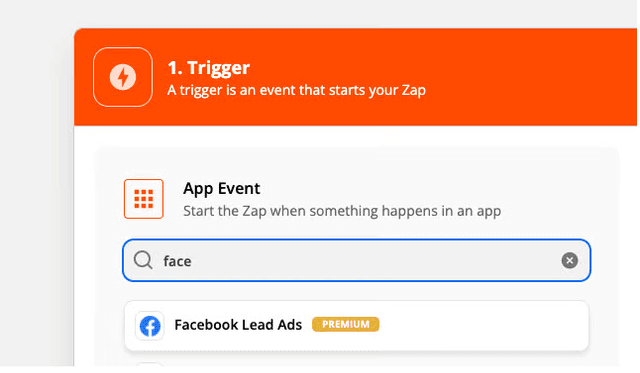
Proceed with the configuration by selecting the Facebook account, the contact form you created in the acquisition campaign, and perform a test to make sure everything works correctly.
Now, all that’s left is to select the tool that will allow you to send the WhatsApp message, that is Spoki.
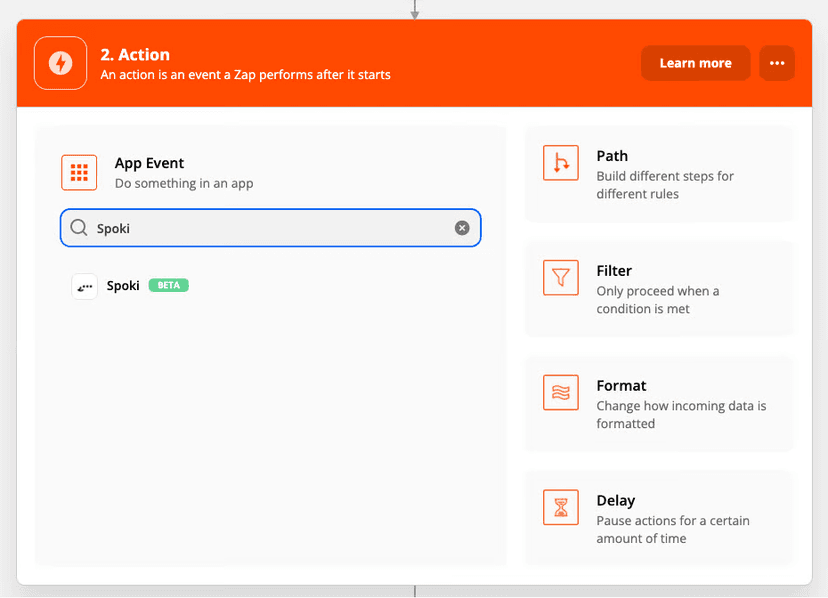
Choose the action that should start following the trigger, i.e. “Start Automation”.
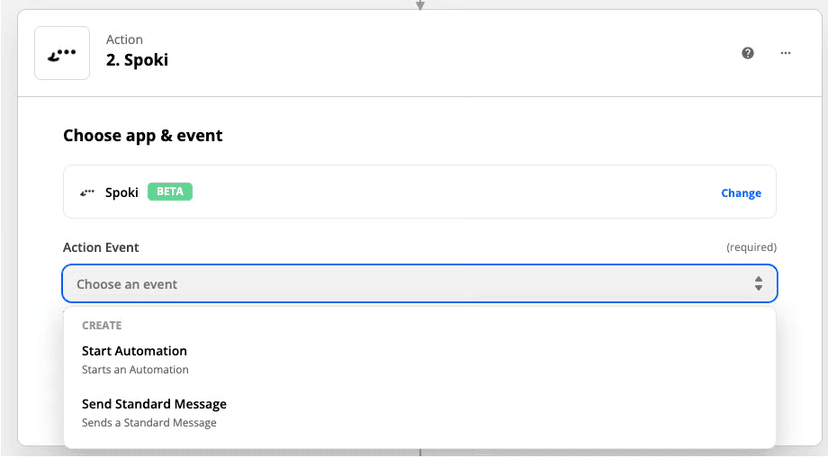
Step 3: Create the automation on Spoki
Now open the Spoki platform.
Create a new automation and select as a Start Step: Zapier.
The system will automatically generate an identification code for the automation called Automation ID. Copy the code and close the window.
Select the template, i.e., the text message, that you intend to send to the user who filled out the Facebook form.
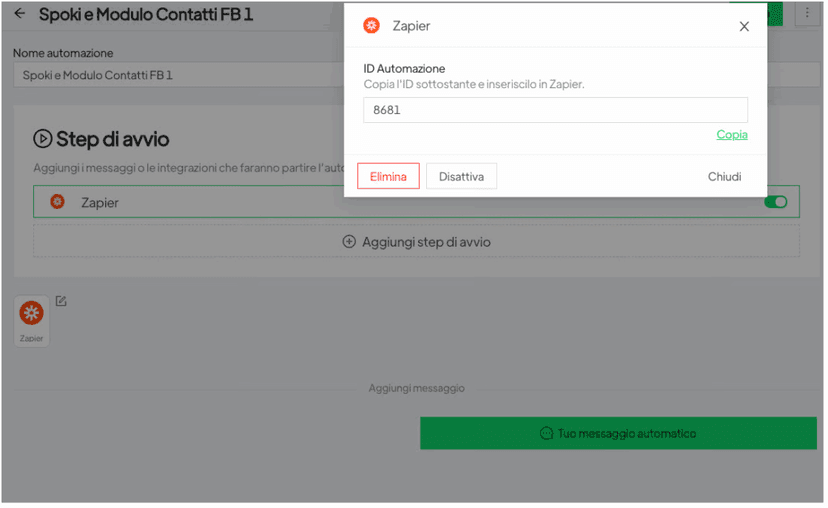
Step 4: Enter the Spoki automation ID on Zapier
On Zapier, paste the code you previously saved inside the ID Standard Message field. Once you have entered all the data, activate the zap.
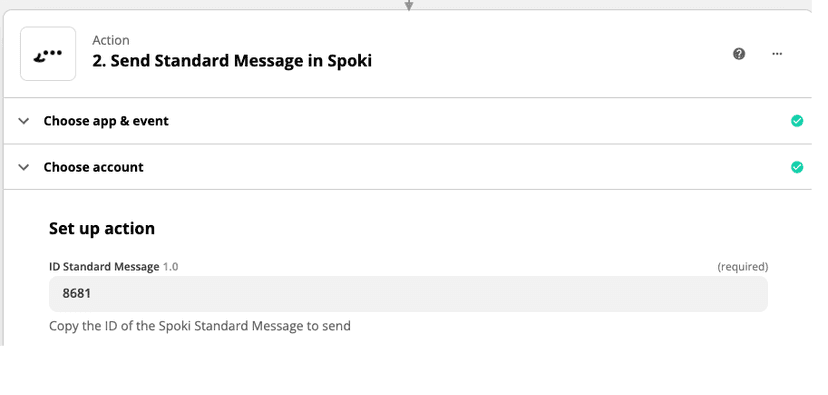
Quick tip: test all modules and Zaps before going live to immediately catch any errors or typos.
Once you’ve tested everything, you can publish your campaign!
Each time a customer fills out the Facebook form, they will receive a WhatsApp message on their personal number.
Before you ask why this might be a useful choice, let me ask you a question: how many unread emails do you have in your inbox?
A lot, right?
Well, that’s why you should opt for a more effective communication channel, like WhatsApp.
Discover our platform and boost your communication!
Do you want to integrate WhatsApp Marketing into your business?
Start with a free account on Spoki and start your first campaigns with 5 € of included credit.
Or contact us to build your winning strategy together. We are waiting for you!