Send Order Notifications on WhatsApp with Spoki, the WooCommerce plugin
Content
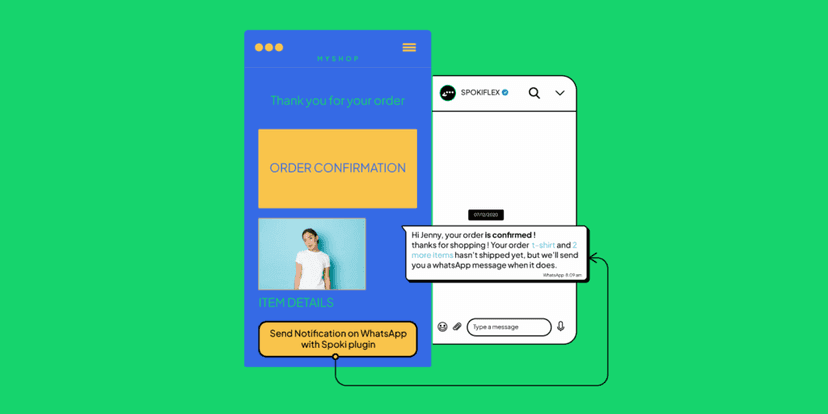
Spoki is the new free WooCommerce plugin that sends order notifications to customers’ WhatsApp numbers and adds chat buttons to the site
Since 2018, medium-to-large companies have been able to interact with their customers through the use of official APIs of WhatsApp. We at Spoki have created a platform that allows companies to integrate WhatsApp into their business, enabling interaction with the user, integration with automation systems, and the ability to create and activate automations in chat.
What is Spoki?
. How to install the Plugin
. How it Works
. Which chat buttons can be inserted
. Spoki Flex Advantages
. How to purchase Spoki Flex
What is Spoki?
Spoki is the plugin that can be integrated with WooCommerce and adds WhatsApp chat buttons to the site and sends customers notifications about the status updates of their order on WhatsApp.
With Spoki, you can embed WhatsApp chat buttons on your WordPress site; this way users can use the chat button to start a conversation for assistance or specific requests.
Furthermore, thanks to direct integration with WooCommerce, the plugin sends order notification messages directly to the customer’s WhatsApp number.
How to install and configure Spoki
Spoki is the free plugin available on the WordPress store. Its configuration takes about two minutes, after which it is ready to be used.
The steps to follow to configure the Spoki plugin are:
- download the plugin from the WordPress store and activate it,
- Enter the Delivery URL and Secret Key codes that we will send via email to those who purchase Spoki Flex plans
- Enter the company contacts in “Settings” (WhatsApp number, store name, and support contacts)
- Select the notification messages to be sent to users
- Configure the chat button to be placed on the site
- Choose which Flex subscription to use (Flex subscriptions that allow the management of 25-50-150 contacts in 30 days from activation).
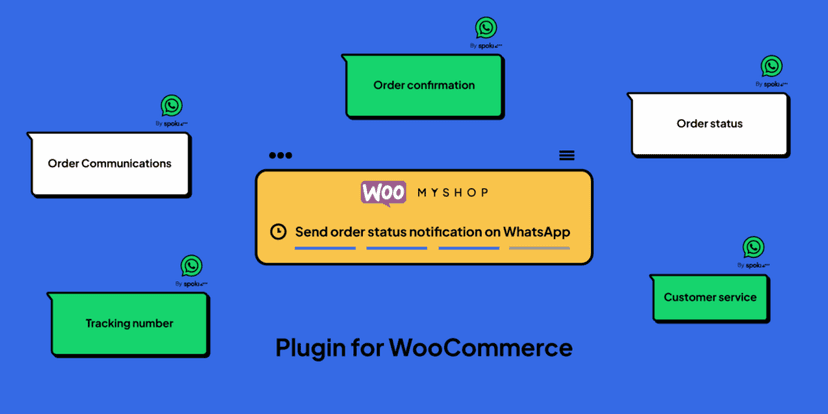
How the Plugin Works
Once installed and activated, you can use the plugin in the free version or activate the subscription plans.
The free version allows the addition of the chat button within the site and the management of 10 contacts from activation; the Flex subscription, on the other hand, allows you to choose how many contacts to manage in the 30 days from activation (25-50-150).
After selecting the offer, based on the volumes of your business, you can select the messages to send to the customer at the end of an order.
Spoki is designed to integrate easily and automatically with WooCommerce and, when WooCommercesends status changes, Spoki sends the notification message from its number to the end customer.
The message template that the customer will receive will contain the order number, the store name and the store details in case support is required.
Which chat buttons can be inserted
Those who download Spoki can decide how many and which chat buttons to insert within the site.
Among the available buttons are:
. The fixed chat button: it is the button that remains fixed on one or more pages of the website (those selected) and allows users to interact directly with the store. In this case, the user who downloads Spoki will have to enter the store’s WhatsApp phone number inside the “Settings”.
. product list buttons: these are the buttons that can be placed within the product list. The customer who clicks on the chat button will send a request for more information to the store’s number, specifying the product within the text.
. product buttons: it is possible to insert chat buttons within the data sheet of each product; the user who needs more information can click on the button to start a conversation. The store will receive the info message with all the product specifications.
The use of chat buttons, in different points, ensures that you are always available to users in their different moments of the purchase process.
Spoki Flex Advantages
Spoki Flex subscriptions are based on contact management during the plan’s validity period.
A contact is counted as a unique user based on the thirty days from the activation of the plan. This means that with one user it is possible to exchange several messages, for example the different order statuses, in the thirty days of the plan, and this will always be counted as unique (one).
The Spoki Flex subscriptionswere created to make communication with the user simple and fast: there is no activation cost to use it.
The user, in fact, will only have to integrate the plugin within their site to send transactional communications on WhatsApp.
Spoki plugin is designed to give all businesses the ability to use WhatsApp within their corporate business, in a simple and functional way.
Do you want to integrate WhatsApp Marketing into your business?
Start with a free account on Spoki and start your first campaigns with 5 € of included credit.
Or contact us to build your winning strategy together. We are waiting for you!