Spoki v19.34.1: Enhanced Guidance for WhatsApp Automation
Content
In today’s fast-paced digital landscape, marketing managers, business owners, e-commerce operators, and SMBs are constantly seeking ways to optimize their customer communication. WhatsApp Business has emerged as a powerful channel, but harnessing its full potential, especially through advanced WhatsApp Business API documentation and automation, can sometimes feel daunting. You might be asking: How do I leverage chatbots effectively? What are the best practices for automated messaging? How can I quickly understand and implement new features without a steep learning curve?
Spoki understands these challenges. That’s why, with its latest update (v19.34.1), Spoki has introduced significant enhancements designed to make your journey into WhatsApp automation smoother, more intuitive, and incredibly efficient. This update focuses on providing instant, in-context guidance, ensuring you can quickly grasp the benefits of each feature and get started with confidence. No more guessing, no more searching for external documentation – just clear, actionable insights right where you need them.
Spoki’s commitment is to empower businesses to connect with customers more effectively, save valuable time, and drive conversions through intelligent WhatsApp strategies. Let’s dive into how these new features will transform your experience and help you master WhatsApp automation.
Instant Explanations and Visual Walkthroughs: Your Personal Guide to Spoki Features
One of the most exciting additions in Spoki v19.34.1 is the integration of enhanced guidance directly within each section. Imagine having a knowledgeable assistant by your side, ready to explain every feature and guide you through its setup. That’s precisely what the new lightbulb icon provides.
Know the Benefits: Understand the ‘Why’ Behind Each Feature
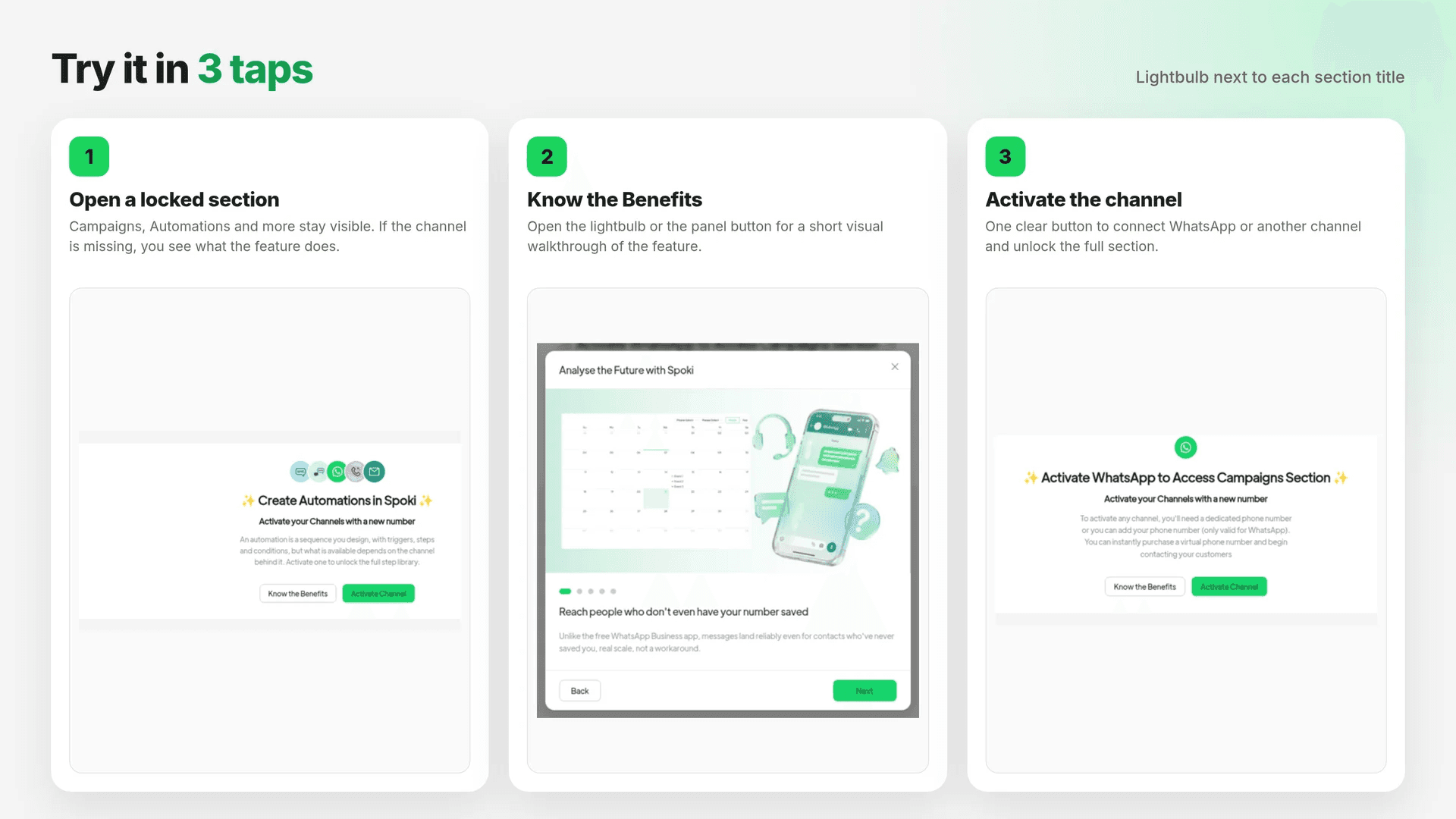
Located conveniently next to each section title across Chats, Automations, Analytics, AI Agents, and more, this lightbulb icon is your gateway to understanding the true value of Spoki’s capabilities. When you click it, you’ll find two distinct options: ‘Know the Benefits’ and ‘Get Started’.
Choosing ‘Know the Benefits’ initiates a short, engaging visual walkthrough. These mini-tutorials are designed to quickly illustrate what a particular feature does, showcasing its practical applications and how it can directly impact your business goals. For instance, if you’re in the ‘Automations’ section, a ‘Know the Benefits’ walkthrough might demonstrate how to set up an automated welcome message for new contacts, highlighting how this saves time and improves customer first impressions. It’s about understanding the ‘why’ before you dive into the ‘how’.
After the visual explanation, you’ll be presented with a clear button to ‘Try it’. This seamless transition encourages immediate application of what you’ve learned, fostering a hands-on approach to mastering Spoki’s powerful tools. This feature is invaluable for marketing managers looking to quickly onboard their teams, business owners wanting to understand the ROI of each tool, and e-commerce operators eager to implement new customer engagement strategies.
Get Started: Step-by-Step Guidance Right in the Page
Complementing ‘Know the Benefits’, the ‘Get Started’ option takes you through the initial steps of using a feature directly within the current page. This eliminates the need to navigate away or consult external guides, streamlining your workflow. For example, if you’re exploring the ‘Lists’ section, ‘Get Started’ might walk you through creating your first contact list, prompting you to add a name and import contacts, all within the same interface. This direct, in-context guidance is perfect for SMBs who need to quickly implement solutions without extensive training.
This dual approach ensures that whether you prefer to understand the strategic advantage first or jump straight into action, Spoki provides the support you need. It’s about making advanced WhatsApp automation accessible to everyone.
Transparency and Accessibility: No More Hidden Features
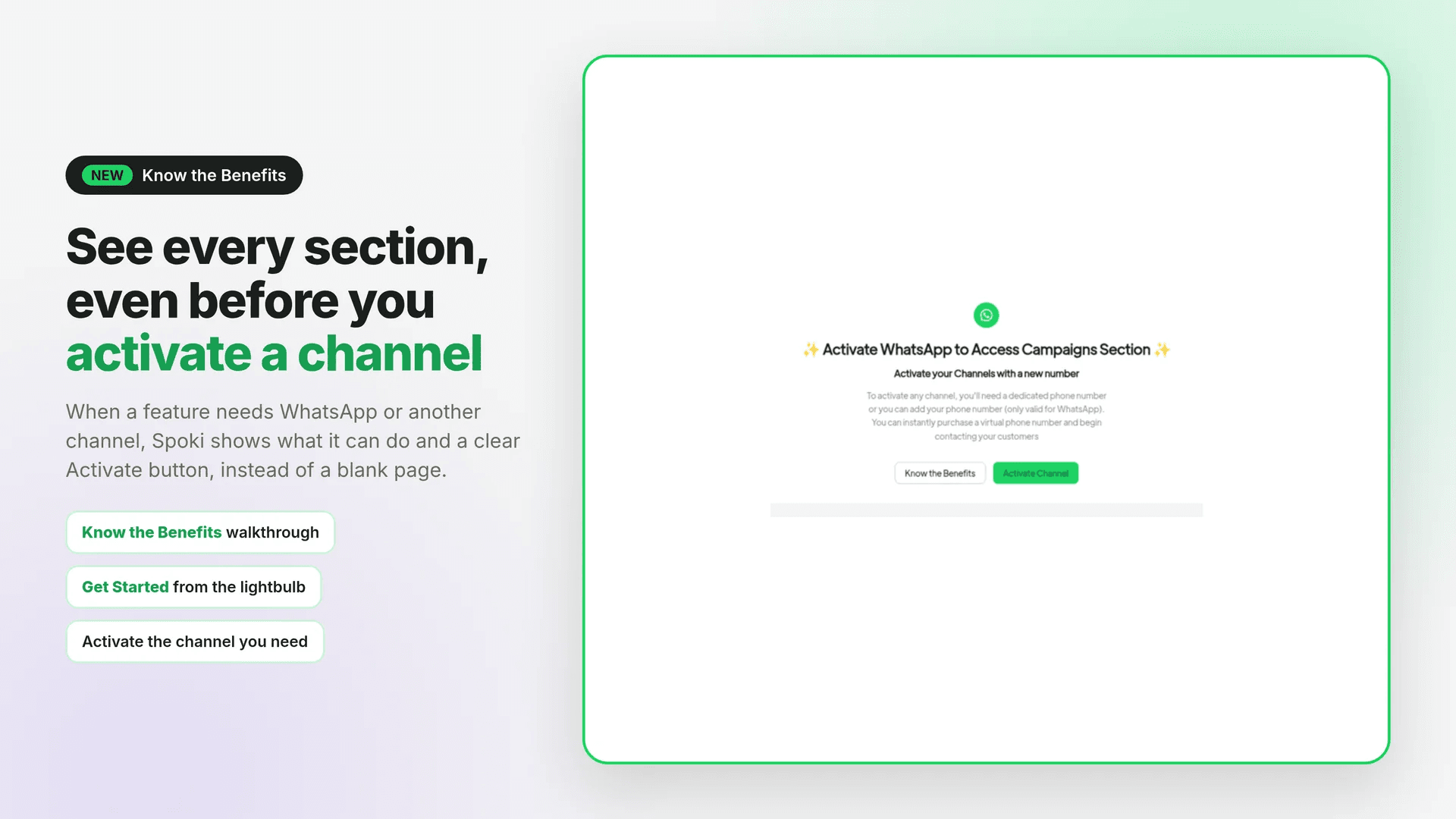
Previously, sections requiring an unlinked channel might have been hidden, leading to confusion or the perception that certain functionalities were unavailable. Spoki v19.34.1 changes this by prioritizing transparency and accessibility.
See What You’re Missing (and How to Get It)
Now, when a section needs a channel you haven’t connected yet, Spoki displays it instead of hiding it. This means you’ll see exactly what the section can do for you, even if it’s not yet fully active. For instance, if you haven’t connected your WhatsApp Business API account, sections related to advanced messaging or chatbot deployment will still be visible. They will clearly outline their capabilities, such as ‘Automate customer support with AI agents’ or ‘Send broadcast messages to segmented lists’.
Crucially, alongside this description, you’ll find a clear, prominent button to ‘Connect Channel’ or ‘Activate WhatsApp Business API’. This direct call to action removes any ambiguity, showing you precisely what steps are needed to unlock the full potential of Spoki. This proactive approach ensures that nothing is locked away without a clear reason and an easy path to access it. For marketing managers planning their WhatsApp strategy, this transparency allows for better foresight and resource allocation.
Practical Use Cases for Unlocked Features
- E-commerce Order Updates: Imagine seeing a section for ‘Automated Order Notifications’. Even if your WhatsApp Business API isn’t linked, you’ll see its potential: ‘Automatically send shipping updates, delivery confirmations, and abandoned cart reminders via WhatsApp.’ A clear button will prompt you to connect your channel to start boosting customer satisfaction and reducing cart abandonment.
- Customer Support Chatbots: A ‘AI Agents’ section might explain: ‘Deploy intelligent chatbots to handle FAQs 24/7, reducing your team’s workload and providing instant customer service.’ You’ll then be guided to link your WhatsApp Business API to enable this powerful automation.
- Personalized Marketing Campaigns: The ‘Broadcasts’ section could detail: ‘Send targeted promotional messages and special offers to specific customer segments on WhatsApp, driving sales and engagement.’ The path to activating this feature will be clearly laid out.
This enhanced visibility ensures that business owners and e-commerce operators can always see the full scope of Spoki’s offerings and understand the necessary steps to implement them, fostering a more informed and empowered user experience.
Welcoming Empty Sections: A Call to Action, Not a Blank Page
Blank pages can be intimidating. When you first start with a new platform, or even when exploring a new feature, an empty section like ‘Contacts’, ‘Lists’, or ‘Tags’ can feel uninviting and leave you wondering where to begin. Spoki v19.34.1 addresses this by replacing blank pages with a more welcoming and actionable experience.
Friendly Intros and Clear Calls to Action
Now, when you navigate to an empty section, Spoki greets you with a friendly introduction. This short, concise message explains the purpose of the section and its benefits. For example, in an empty ‘Contacts’ section, you might see: “Welcome to your Contacts! This is where you’ll manage all your customer interactions and build your audience for targeted WhatsApp campaigns.”
Crucially, this intro is immediately followed by a clear call to action (CTA) to create your first item. Instead of a blank canvas, you’ll find a prominent button like ‘Create Your First Contact’, ‘Build Your First List’, or ‘Add Your First Tag’. This proactive guidance eliminates guesswork and encourages immediate engagement, making it easier for new users to get started and for existing users to explore new functionalities.
Practical Examples for Getting Started
- Contacts: “Manage your customer relationships effectively. Learn how to import your existing customer database or add new contacts one by one to start building your WhatsApp audience.”
- Lists: “Segment your customers for personalized messaging. Create lists based on purchase history, interests, or engagement levels to send highly relevant WhatsApp campaigns.”
- Tags: “Organize your contacts with custom tags. Use tags to categorize customers, track their journey, or streamline your customer support workflows.”
This thoughtful design ensures that every interaction with Spoki is productive and encouraging, transforming potential points of friction into opportunities for engagement. It’s particularly beneficial for SMBs and e-commerce operators who need to quickly set up their customer communication infrastructure.
Leveraging WhatsApp Automation with Spoki’s Enhanced Guidance
The enhancements in Spoki v19.34.1 are not just about improving user experience; they are about empowering you to fully leverage the power of WhatsApp automation. By providing clear guidance on features like chatbots, automated messaging, and CRM integration, Spoki helps you:
- Save Time and Resources: Quickly understand and implement automation workflows, reducing manual effort in customer communication.
- Boost Customer Satisfaction: Deploy responsive chatbots and timely automated messages that keep customers informed and engaged.
- Drive Conversions: Utilize targeted messaging and personalized campaigns, guided by Spoki’s insights, to convert leads and retain customers.
- Maintain Compliance: Understand how to use WhatsApp Business API features responsibly, ensuring opt-in messaging and a customer-first approach.
Whether you’re looking to automate abandoned cart reminders, provide instant customer support, or send personalized promotions, Spoki’s new guidance system makes it easier than ever to achieve your goals. Explore the latest product updates to see how Spoki continually evolves to meet your business needs.
Conclusion: Master WhatsApp Automation with Spoki
Spoki’s v19.34.1 update marks a significant step forward in making advanced WhatsApp automation accessible and intuitive for businesses of all sizes. The new lightbulb icon, offering ‘Know the Benefits’ visual walkthroughs and ‘Get Started’ in-page guidance, ensures you can quickly understand and implement every feature. The transparent display of sections requiring unlinked channels, coupled with clear activation buttons, removes ambiguity and empowers you to unlock Spoki’s full potential.
Furthermore, the welcoming introductions in empty sections transform blank pages into actionable starting points, guiding you to create your first contacts, lists, or tags with ease. These enhancements collectively streamline your journey into WhatsApp automation, helping you save time, improve customer engagement, and drive business growth.
Embrace the future of customer communication. Discover how Spoki can transform your WhatsApp strategy. Start for free with Spoki — no credit card required.