Spoki’s New Checkout Experience: Simplified WhatsApp Plans
Content
For marketing managers, business owners, and e-commerce operators, managing subscriptions and understanding costs can often be a source of frustration. The complexity of selecting the right plan, adding necessary features, and navigating payment options can detract from the core focus of growing your business. Recognizing these challenges, Spoki has completely redesigned its plan checkout process with the new v19.0.0 update. This new checkout experience is engineered to be more intuitive and transparent, ensuring that every user, from SMBs to large enterprises, can effortlessly select and manage their Spoki plans for WhatsApp Business automation.
The updated flow guides you seamlessly through every step: choosing your base plan, selecting communication channels, adding essential extras, and finalizing payment options. This ensures you always have a crystal-clear understanding of your choices and the associated costs, empowering you to optimize your WhatsApp marketing and customer service strategies with confidence. Spoki’s commitment to clarity and ease-of-use means less time spent on administrative tasks and more time dedicated to engaging your customers and driving conversions through powerful WhatsApp automation.
A Seamless Journey from Plan Selection to Activation
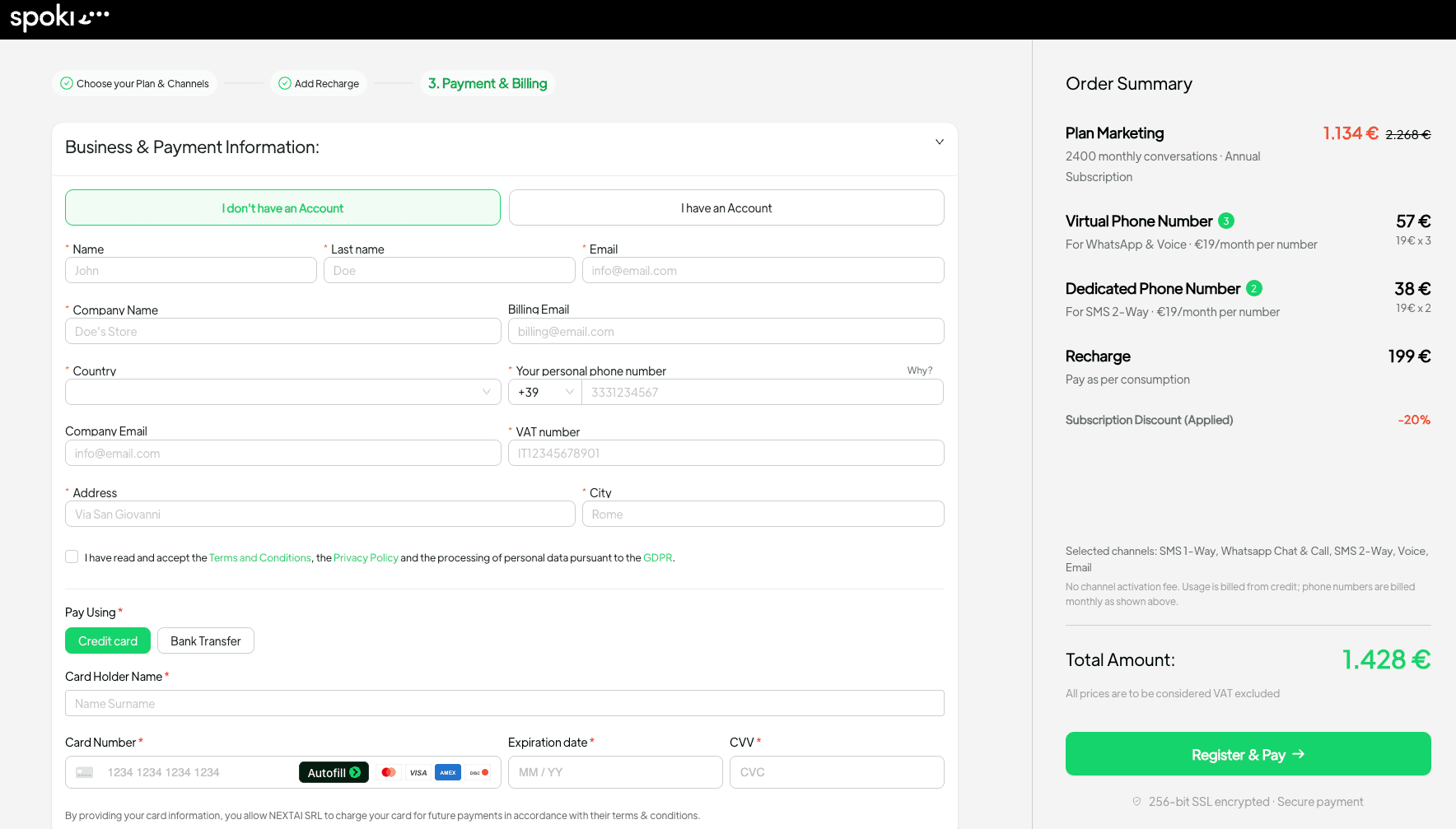
The new Spoki checkout experience transforms what was once a multi-step, potentially confusing process into a single, cohesive flow. This integrated approach means you can now configure your entire Spoki setup – from core plan to specific features – without ever losing sight of the total cost or the value you’re receiving. This is particularly beneficial for businesses leveraging WhatsApp Business API for customer communication, as it allows for precise customization of services to match specific operational needs.
Choosing Your Ideal Plan and Communication Channels
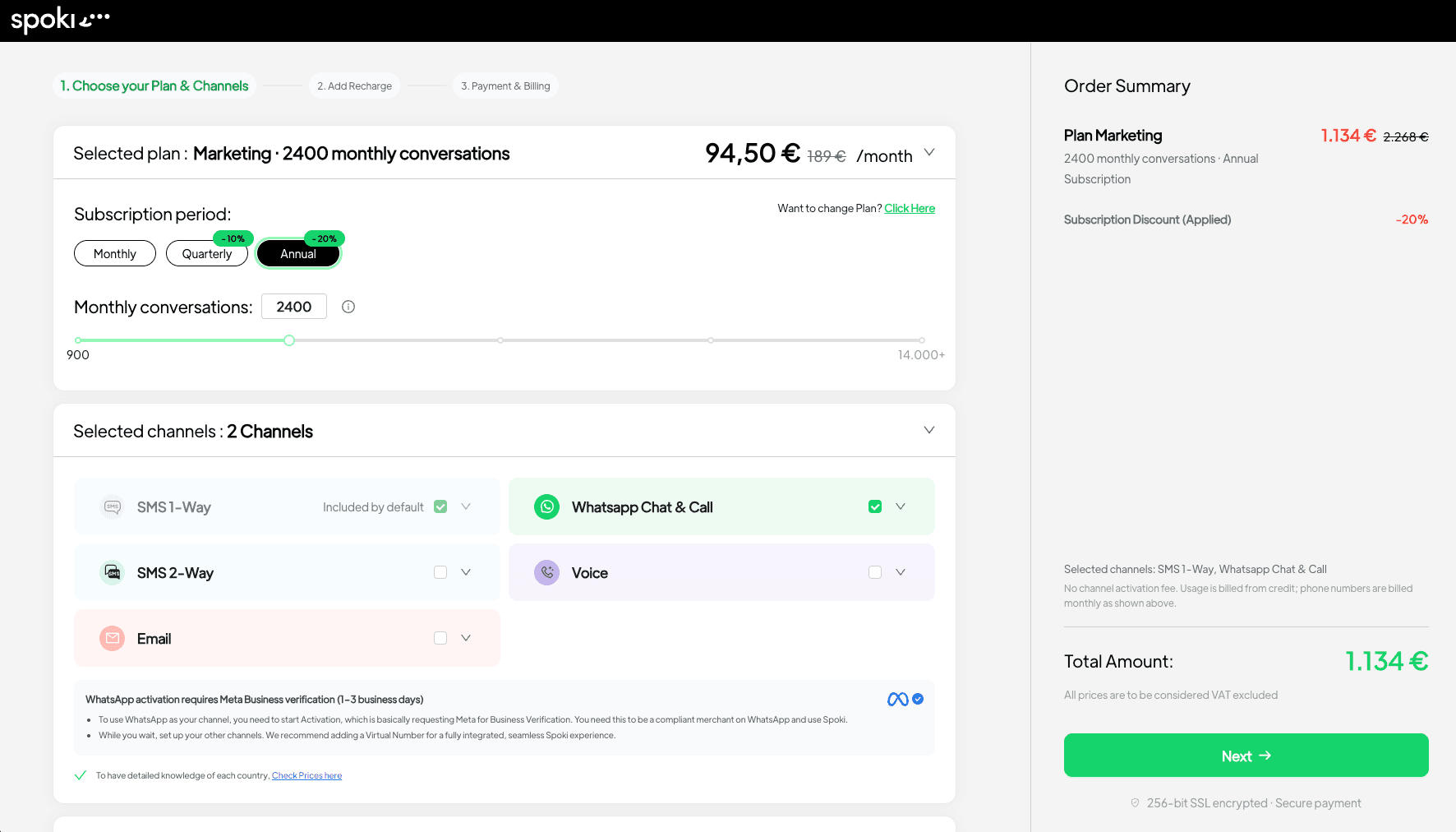
The first step in the new checkout process is selecting your base Spoki plan. Whether you’re upgrading, downgrading, or purchasing a new plan, the system presents clear options tailored to different business sizes and communication volumes. Once your base plan is chosen, you can then select the communication channels you need to power your customer engagement strategy.
- WhatsApp: Essential for direct customer communication, marketing campaigns, and support.
- Voice: For integrated call center functionalities and direct customer calls.
- SMS: A reliable fallback or primary channel for broader reach.
- Optional Email: To complement your messaging strategy with traditional email communication.
This modular approach ensures you only pay for the channels your business actively uses, making your investment in customer communication more efficient. For businesses focused on WhatsApp automation, this means tailoring your plan to maximize the impact of chatbots, automated messages, and personalized campaigns.
Adding Essential Extras: Virtual Numbers and Support Options
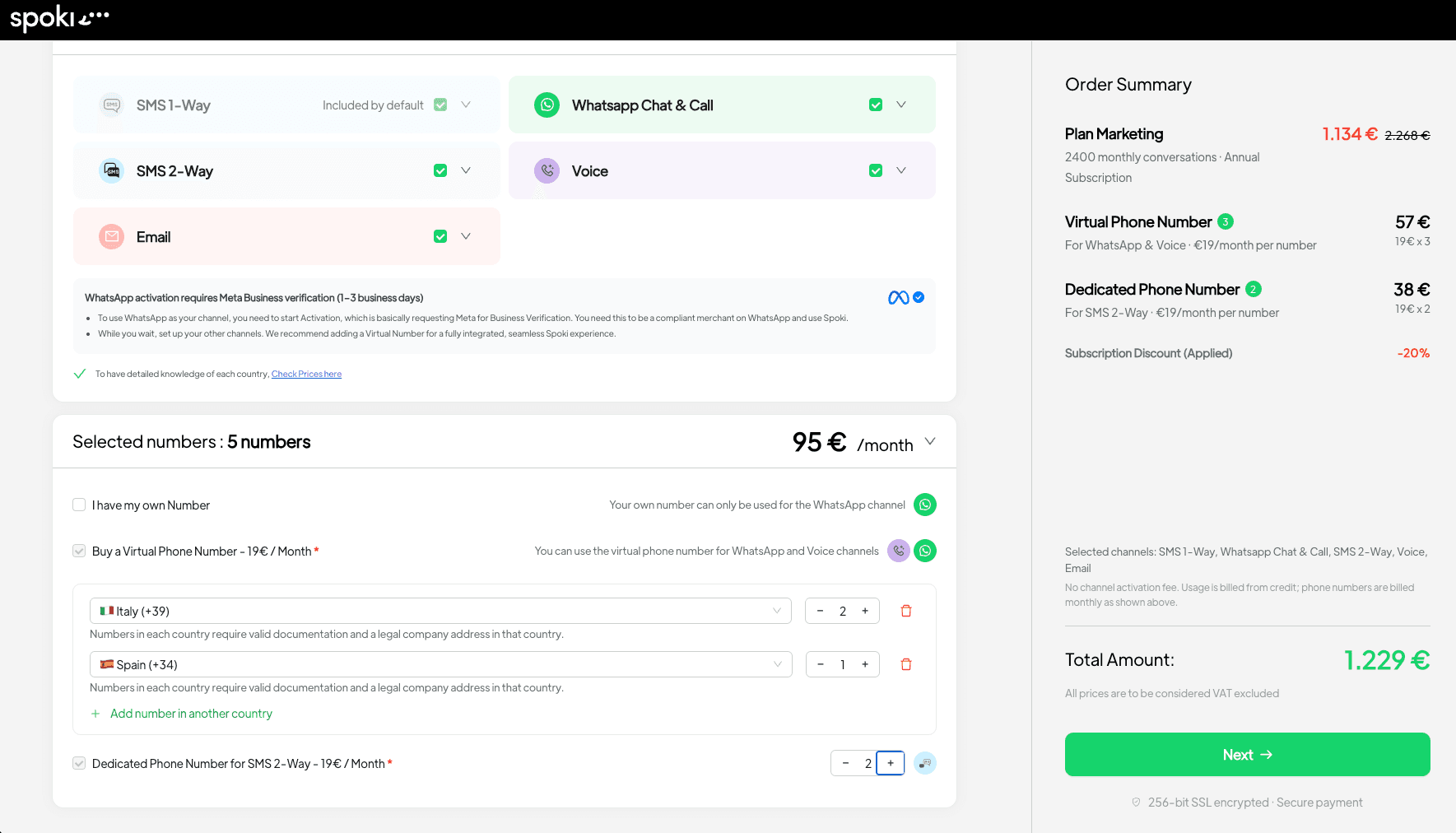
Beyond core channels, Spoki understands that businesses have unique operational needs. The new checkout experience allows you to easily add crucial extras that enhance your communication capabilities and ensure smooth operations.
Virtual Numbers for Enhanced Local Presence
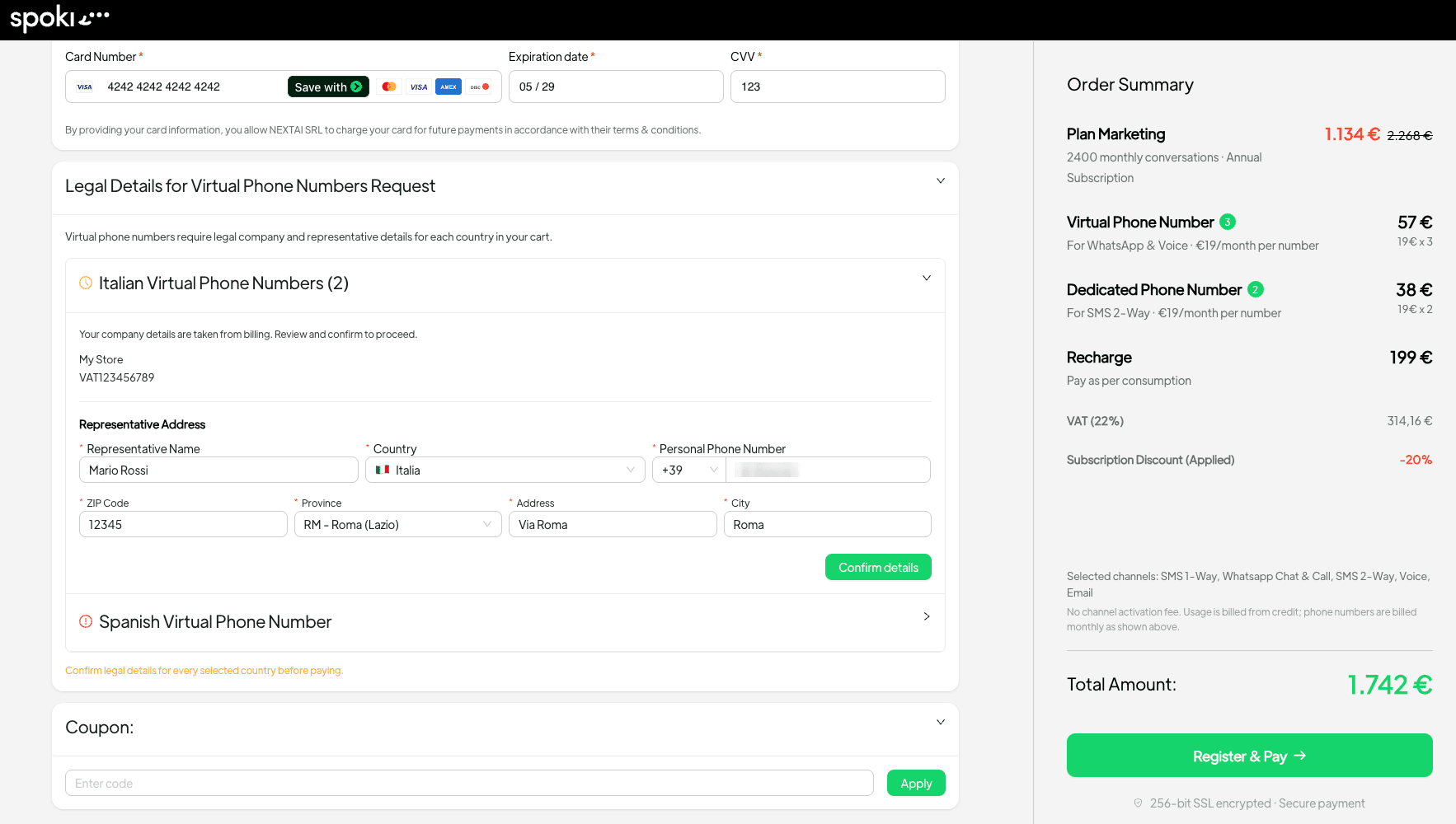
For businesses operating across different regions or wanting to establish a local presence, virtual numbers are invaluable. The checkout flow now makes it simple to add virtual numbers where required, ensuring your customers can connect with you using local numbers, which often increases trust and engagement. This is particularly useful for e-commerce businesses expanding into new markets, allowing them to manage customer inquiries through localized WhatsApp Business accounts.
Tailored Support Options
Customer support is paramount, and Spoki offers various support tiers to match your business’s needs. During checkout, you can select the support options that best fit your operational requirements, ensuring you have access to expert assistance whenever you need it. This proactive approach to support helps minimize downtime and maximizes the effectiveness of your WhatsApp automation strategies.
Managing Your Wallet and Payments with Clarity
Transparency in billing and payment is a cornerstone of the new Spoki checkout experience. The updated system provides clear visibility into all costs and payment options, eliminating guesswork and ensuring you’re always in control of your budget.
Effortless Wallet Top-Ups
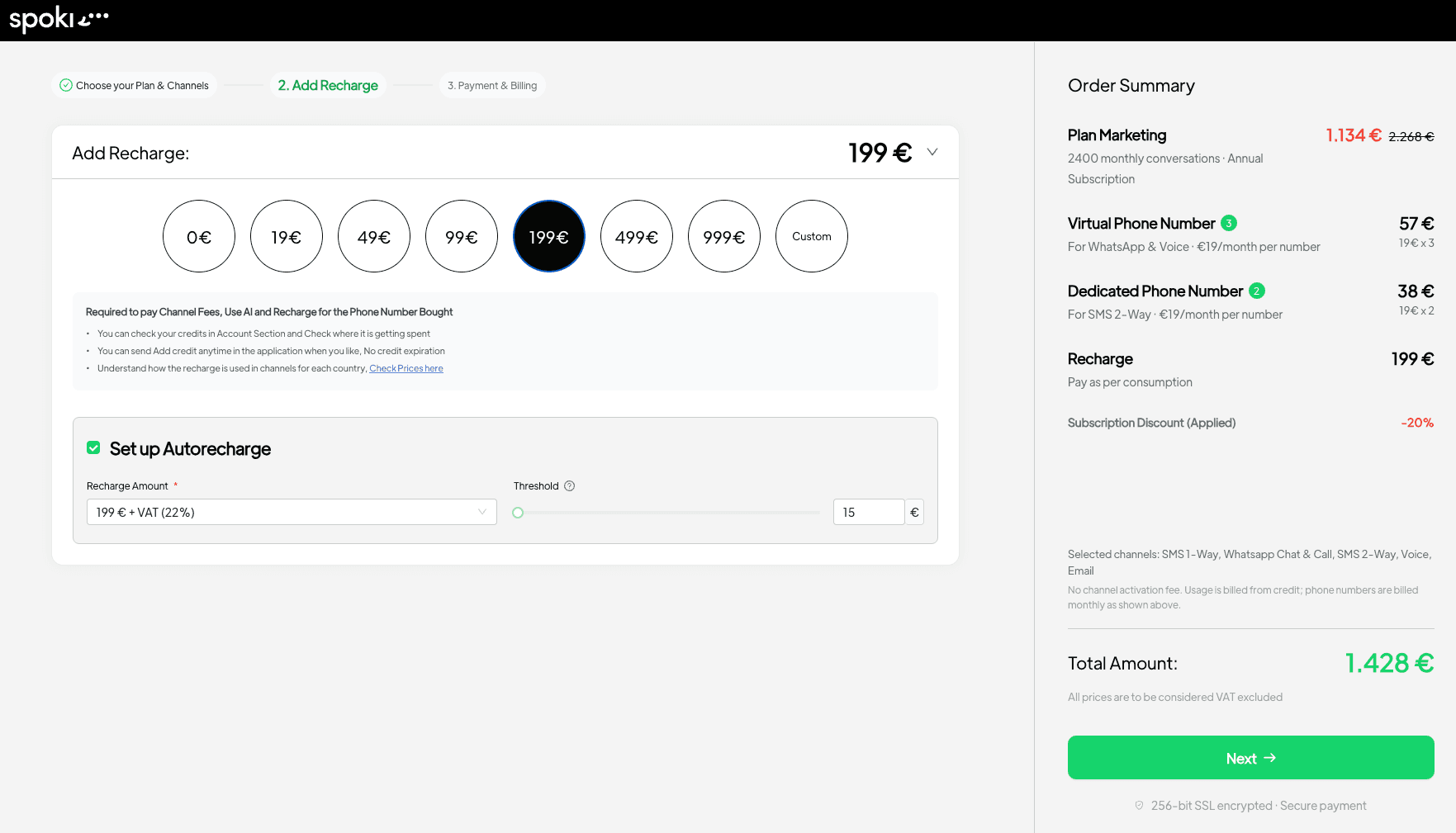
For pay-as-you-go services or to ensure continuous operation of your WhatsApp Business API, managing your wallet balance is crucial. The new flow allows you to top up your wallet conveniently during the checkout process, ensuring you have sufficient funds for your messaging campaigns and customer interactions without interruption.
Flexible Payment Methods and Coupon Application
Spoki offers flexible payment options to suit your preferences. You can choose to pay by card for instant processing or opt for bank transfer. If you have a coupon, it can be easily applied at the payment stage, with the discount clearly reflected in your total. This flexibility ensures that managing your Spoki subscription is as convenient as possible.
Understanding Plan Changes: Immediate vs. End-of-Billing Period
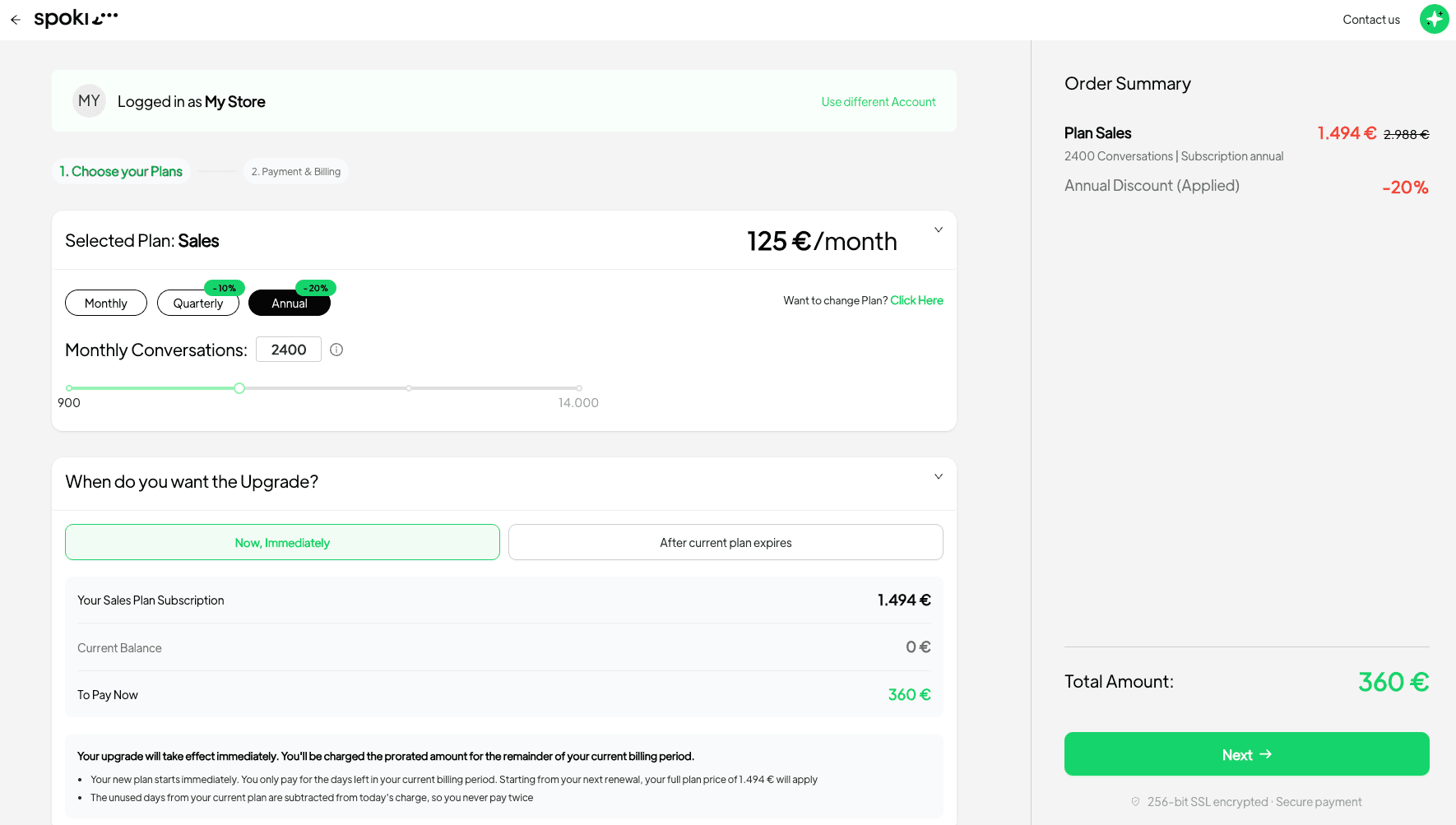
One of the most significant improvements in the new checkout experience is the upfront clarity regarding plan changes. When you decide to upgrade or downgrade your Spoki plan, the system immediately informs you whether the change will take effect immediately or at the end of your current billing period. This eliminates any ambiguity and allows for better financial planning and service management.
- Immediate Changes: Ideal for urgent upgrades to access new features or higher message volumes.
- End-of-Billing Period Changes: Perfect for planned adjustments, ensuring you utilize your current subscription fully.
This transparency is invaluable for businesses that need to scale their WhatsApp automation capabilities quickly or adjust their budget without unexpected surprises.
Clear Instructions for Bank Transfer Payments
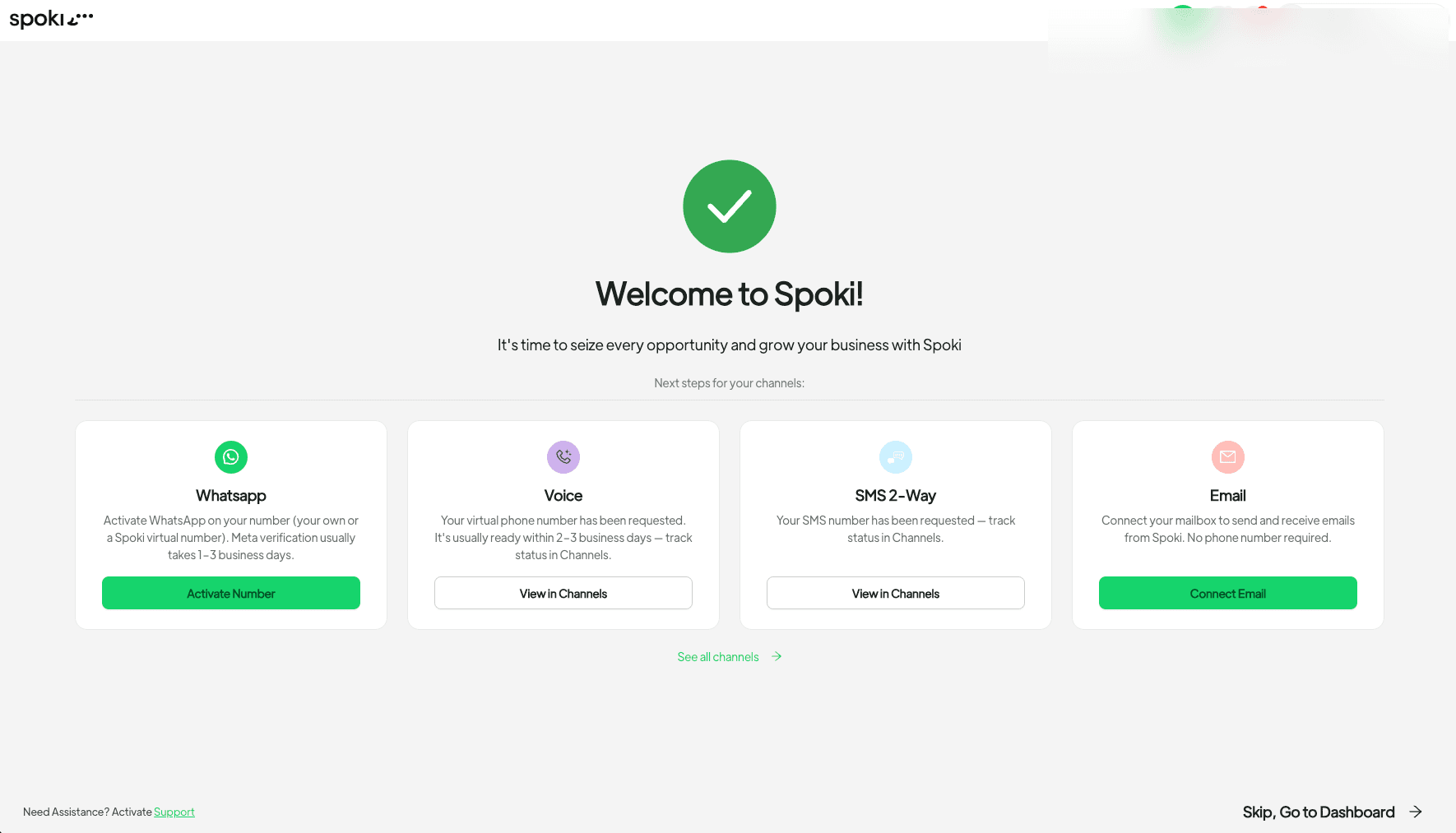
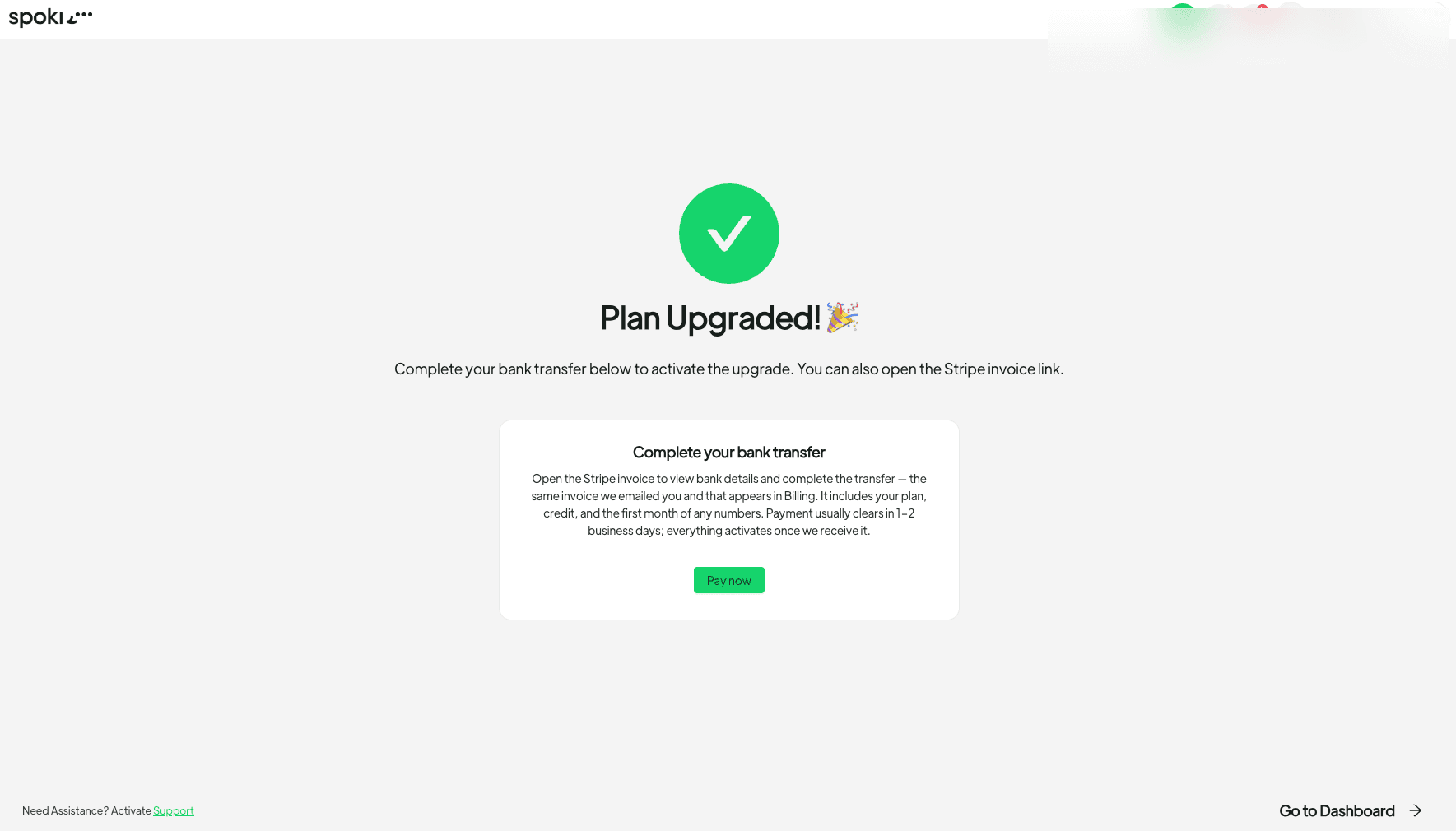
For users who prefer bank transfers, the new checkout experience provides enhanced guidance. After completing a bank transfer payment, you will receive clear, detailed instructions on the success screen and within your Billing section. Furthermore, Spoki will send a reminder if an invoice is still awaiting payment, ensuring you never miss a payment and your services remain uninterrupted. This proactive communication streamlines the payment process and reduces administrative overhead.
Practical Use Cases for WhatsApp Automation with Spoki
The streamlined checkout experience directly supports businesses in leveraging WhatsApp Business API for a multitude of applications. Here’s how the flexibility and clarity of Spoki’s plans empower various WhatsApp automation strategies:
E-commerce: Enhancing Customer Journey and Sales
E-commerce operators can utilize Spoki’s WhatsApp automation to:
- Automated Order Confirmations and Shipping Updates: Send real-time notifications directly to customers’ WhatsApp, reducing customer service inquiries and improving satisfaction.
- Abandoned Cart Recovery: Set up automated messages to remind customers about items left in their cart, often including a personalized incentive, significantly boosting conversion rates.
- Personalized Product Recommendations: Based on browsing history or past purchases, Spoki can send tailored product suggestions via WhatsApp, driving repeat business.
- Customer Support Chatbots: Implement chatbots to handle frequently asked questions, provide instant support, and guide customers through the purchase process, freeing up human agents for complex issues.
The ability to easily scale channels and add virtual numbers through the new checkout means e-commerce businesses can adapt their WhatsApp strategy as they grow and enter new markets.
Marketing Managers: Boosting Engagement and Lead Generation
Marketing managers can harness Spoki for:
- WhatsApp Marketing Campaigns: Launch targeted promotional campaigns, send newsletters, and announce new products directly to opt-in subscribers.
- Lead Qualification and Nurturing: Use chatbots to qualify leads by asking a series of questions and then route high-potential leads to sales teams, or nurture them with automated drip campaigns.
- Event Reminders and Registrations: Send automated reminders for webinars, events, or appointments, and even facilitate registration directly within WhatsApp.
- Feedback Collection: Automate post-purchase surveys or service feedback requests to gather valuable insights and improve customer experience.
With clear pricing and flexible channel selection, marketing teams can confidently plan and execute their campaigns, knowing their Spoki plan aligns with their budget and objectives.
Business Owners and SMBs: Streamlining Operations and Customer Service
SMBs and business owners can benefit from Spoki’s WhatsApp automation by:
- Automated Appointment Booking and Reminders: Allow customers to book appointments directly via WhatsApp and send automated reminders, reducing no-shows.
- FAQ Automation: Implement chatbots to answer common customer questions 24/7, improving response times and customer satisfaction without increasing staff overhead.
- Internal Communication: While primarily for external use, businesses can also use WhatsApp for quick, efficient internal updates to small teams.
- Payment Reminders and Invoicing: Send automated payment reminders or deliver invoices directly to customers via WhatsApp, improving cash flow.
The simplified checkout ensures that even businesses with limited IT resources can easily set up and manage their Spoki account, making powerful WhatsApp automation accessible to all.
Integrating Spoki with Your Existing Ecosystem
Spoki is designed to integrate seamlessly with your existing business tools, enhancing the power of your WhatsApp automation. While the new checkout focuses on ease of subscription management, the underlying platform offers robust integration capabilities.
- CRM Integration: Connect Spoki with your CRM to synchronize customer data, personalize interactions, and ensure a unified view of customer communication. Learn more about WhatsApp Business API documentation and how it can enhance your CRM.
- E-commerce Platforms: Integrate with platforms like Shopify or WooCommerce to automate order updates, abandoned cart recovery, and personalized marketing messages.
- Helpdesk Systems: Route complex WhatsApp inquiries directly to your helpdesk system, ensuring no customer query goes unanswered.
Understanding the full potential of Spoki’s features can be further explored in the Spoki Blog, which offers insights and guides on maximizing your WhatsApp Business API usage.
Conclusion: Empowering Your Business with Transparent WhatsApp Automation
The new Spoki checkout experience (v19.0.0) represents a significant step forward in making powerful WhatsApp Business automation more accessible, transparent, and user-friendly. By simplifying the process of selecting plans, channels, and extras, and by providing crystal-clear payment information, Spoki empowers marketing managers, business owners, and e-commerce operators to focus on what truly matters: engaging customers, driving sales, and growing their business.
With Spoki, you gain not just a tool, but a partner committed to helping you navigate the complexities of modern customer communication. The intuitive design, coupled with robust features for WhatsApp automation, chatbots, and automated messaging, ensures that your customer interactions are always efficient, personalized, and compliant with WhatsApp Business API policies.
Ready to experience the future of customer communication? Explore Spoki Pricing Plans and discover how seamless WhatsApp automation can transform your business.
Start for free with Spoki — no credit card required.