Google Ads + WhatsApp: optimise your campaigns for real customers

Listen to article

Content

Google Ads + WhatsApp: optimise your campaigns for real customers

People who search on Google know what they want, and more and more of them would rather send a WhatsApp message than fill in a form. The problem is what happens next: the conversation moves to WhatsApp and Google loses sight of it. Your campaigns keep optimising for clicks, while deals and orders happen somewhere Google cannot see.

Why Google needs to know what happens on WhatsApp

Google’s bidding strategies learn from the conversions you send them. If the only signal is a click or a form, Google finds more people who click. If the signal is a won deal or an order, with its value, Google finds more people who buy.

How the Spoki integration works

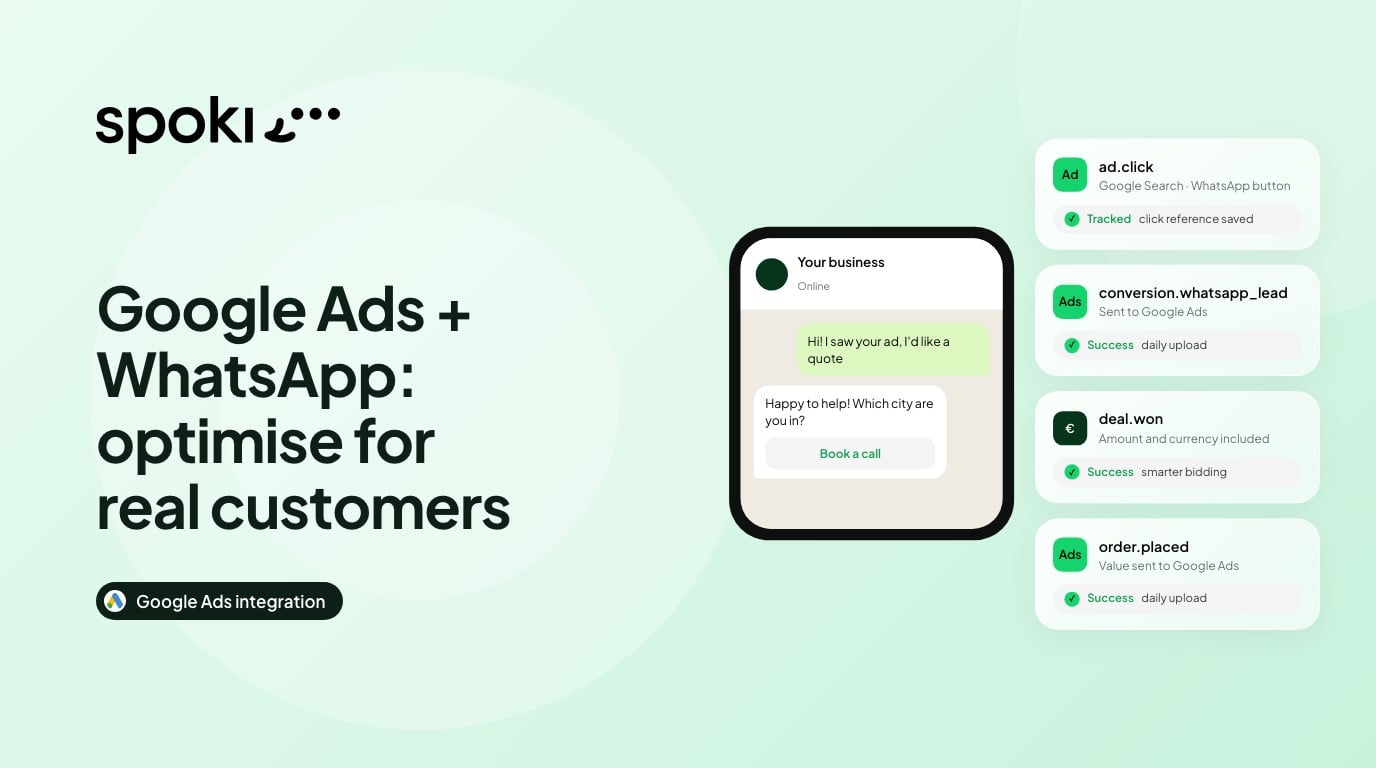
A user clicks your Google ad and starts a WhatsApp conversation, either from the WhatsApp button inside the ad or from the Spoki button on your website. Spoki records what happens next and, once a day, sends the results to Google Ads using only Google’s own click reference.

  1. Ad click
    Google Ads
  2. Chat
    WhatsApp
  3. Result
    Recorded by Spoki
  4. Smarter bidding
    Google Ads

From the ad click to smarter bidding: the loop Spoki closes every day.

  • No personal data
  • No tag to install
  • Visible in about 3 hours

How to set it up

  1. Open the integration
    In Spoki, go to Integrations → Google Ads.
  2. Connect Google
    Sign in with the Google account that has access to your Google Ads account.
  3. Enter your Customer ID
    You find it at the top right of Google Ads. Dashes are optional.
  4. Choose what to send
    Conversation started is on by default. Deal won and Order placed are optional and can include the amount.
  5. Create it in Google Ads
    One click and Spoki creates the matching conversion action in your account.

Good to know: conversions created by Spoki count towards your campaigns’ bidding. Agree with whoever manages your campaigns which ones to optimise for.

Three ways to use it

Local services

A search for “plumber near me” becomes a WhatsApp chat. Spoki asks area and urgency and books the appointment.

Send to Google: Deal won

Real estate and automotive

A website visitor opens WhatsApp from the Spoki button, is routed to an agent and books a visit or test drive.

Send to Google: Deal won with value

High-ticket e-commerce

Pre-sale questions on WhatsApp turn into orders. Google learns which searches bring revenue.

Send to Google: Order placed with value

Frequently asked questions

Does Spoki share personal data with Google?

No. Spoki sends only Google’s own click reference, the conversion type and, if you choose, the amount.

How often are conversions sent?

Once a day. They appear in Google Ads about 3 hours after the upload.

Do these conversions affect bidding?

Yes. Conversions created with “Create it in Google Ads” count towards your campaigns’ bidding, so agree with whoever manages your campaigns which ones to optimise for.

What does “Waiting for Google” mean?

Google still has to enable Message Ads tracking for your Customer ID. Nothing is missing on your side: we request it during onboarding.

Ready to try it?

Activate Google Ads in Spoki and let your campaigns learn from real WhatsApp results.

Keep reading

WhatsApp automation for Meta and Google Ads
How to connect your ad platforms to WhatsApp with Spoki.

Latest Articles

Frequently Asked Questions

What is Spoki?

Spoki is a comprehensive WhatsApp Business API platform that enables businesses to transform WhatsApp into a powerful channel for marketing, sales, and customer support.

With Spoki, you can:

• Automate communications: Send automated messages, create chatbots, and set up intelligent workflows

• Manage customer support: Multi-operator team management with ticketing system and conversation routing

• Increase sales: Recover abandoned carts, send payment requests, and manage your product catalog directly on WhatsApp

• Marketing campaigns: Send bulk messages to thousands of contacts with personalized templates

• AI-powered features: Leverage artificial intelligence to automate responses and qualify leads 24/7

• Integrate with your tools: Connect with over 4,000 platforms including CRM, e-commerce, and marketing tools

Spoki is an official Meta Tech Partner, guaranteeing reliability, security, and access to all official WhatsApp Business API features.

How does the WhatsApp Business API work?

The WhatsApp Business App and the WhatsApp Business API (used by Spoki) are two completely different solutions designed for different business needs:

WhatsApp Business App: • Designed for small businesses and sole proprietors • Manual message management • Limited to 5 devices simultaneously • Maximum 256 contacts per broadcast • No automation capabilities • Free but with significant limitations • No CRM or integration support

WhatsApp Business API (Spoki): • Designed for medium to large businesses • Unlimited operators: Your entire team can manage conversations simultaneously • Unlimited broadcasts: Send messages to thousands of contacts • Advanced automation: Chatbots, automatic responses, intelligent workflows • CRM integration: Connect with your existing tools (HubSpot, Salesforce, etc.) • Analytics & reporting: Detailed statistics on your communications • No ban risk: Official API approved by Meta for bulk messaging • Cloud-based: No need to keep a phone connected • Multi-channel: Integrate WhatsApp with SMS, Voice, and other channels

How much does a Spoki subscription cost?

Spoki offers three pricing tiers: a Free plan at €0/month for basic WhatsApp support and live chat, a Service plan starting at €19/month with AI-powered customer support and unlimited automations, and a Marketing plan starting at €49/month with bulk campaigns and advanced analytics. All plans include unlimited operators at no extra cost. WhatsApp conversation fees are charged separately by Meta based on usage volume.

Is there a free trial?

Yes, Spoki offers a permanent Free plan at €0/month that includes live chat with unlimited operators, basic automations, and a ticketing system. This allows businesses to test core WhatsApp Business API features before upgrading. Paid plans start at €19/month for the Service tier and €49/month for the Marketing tier, with no long-term contracts required.

Can I integrate Spoki with other tools?

Spoki integrates with thousands of platforms through native integrations, Zapier, Make (Integromat), and Webhooks.

Native Integrations:

• E-commerce: Shopify, WooCommerce, PrestaShop, Magento

• CRM: HubSpot, Salesforce, Pipedrive, Zoho, ActiveCampaign

• Marketing: Mailchimp, Google Sheets

• Payment: Stripe, PayPal

• Support: Zendesk

Via Zapier/Make:

Connect to 4,000+ platforms including: • Google Workspace (Sheets, Calendar, Drive) • Microsoft Office 365 • Slack, Trello, Asana • WordPress, Webflow • Custom apps via API

Webhooks & API:

Full REST API for developers to build custom integrations.

Try Spoki for Free