Spoki Updates: Optimize WhatsApp Business Automation Workflows
Content
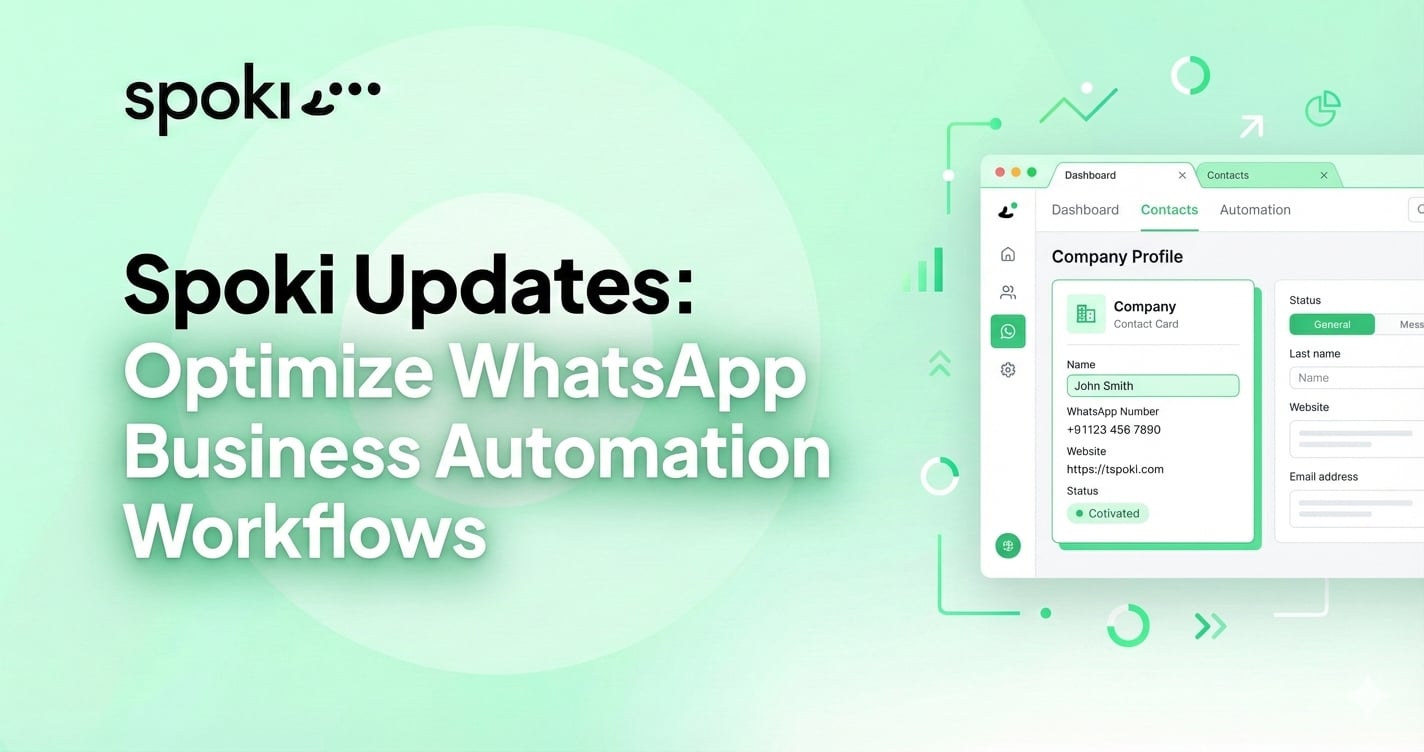
Spoki Just Got Smarter: Introducing Our New Tabbed Navigation & Intelligent Company Contacts
As your business scales, managing customer interactions can quickly become overwhelming. If your teams are struggling to navigate between multiple active chats, marketing campaigns, and disparate user profiles, it directly impacts your response times and customer satisfaction. To truly leverage WhatsApp Business automation, your team needs a workspace that works as fast as they do.
That is why we are thrilled to announce two major platform updates designed specifically to optimize your workflow: Spoki’s new Tabbed Navigation and Intelligent Company Contacts. These highly anticipated features have been engineered to eliminate digital friction, reduce context switching, and transform how B2B and B2C teams manage their daily communications.
Whether you are a Sales Manager juggling high-value leads, a Customer Success agent resolving complex tickets, or a Marketing Manager launching automated broadcasts, this update is built to make your Spoki experience smoother, faster, and significantly smarter.

The Hidden Cost of Cluttered Workflows: Why We Revamped Our Interface
In the modern digital workplace, efficiency is everything. However, many customer-facing teams suffer from a phenomenon known as “context switching.” Every time an agent has to leave a chat screen to check a customer’s purchase history, review an active marketing template, or consult a chatbot workflow, they lose valuable seconds—and more importantly, they lose focus.
Studies show that constant toggling between different screens and applications can reduce a worker’s productive time by up to 40%. When dealing with instantaneous platforms like WhatsApp, where customers expect near real-time responses, delays caused by clunky software navigation can lead to dropped conversions and frustrated clients.
At Spoki, we analyzed how our most active users interacted with the platform. We noticed that Account Administrators and Customer Success Teams frequently needed to cross-reference data. They needed to view an automated messaging sequence while simultaneously monitoring the live replies coming in from that exact campaign. The solution was clear: we needed an interface that allowed for true multitasking without losing the context of the conversation.
Deep Dive: The Power of Tabbed Navigation
Spoki’s new Tabbed Navigation brings a browser-like experience directly inside your WhatsApp Business platform. Instead of navigating away from a page and losing your place, you can now open chats, campaigns, automation flows, and contact profiles in separate, manageable tabs at the top of your screen.
Seamless Multitasking for Sales Teams
For Sales Managers and representatives, speed is the ultimate competitive advantage. When multiple inbound leads are interacting with your WhatsApp chatbots simultaneously, sales reps need to jump into conversations at the critical moment of intent. With tabbed navigation, a sales rep can have five different high-priority chats open in separate tabs. They can seamlessly toggle between a lead asking for pricing, another requesting a demo, and a third negotiating contract terms, all without ever losing their place or having to search through the main inbox again.
Faster Context Switching for Customer Success
Customer Success Teams handle complex, multi-step inquiries. Often, resolving a single customer issue requires looking at their past ticket history, checking internal API documentation, and consulting with technical support. Now, agents can keep the active customer chat open in Tab 1, open the customer’s detailed Spoki profile in Tab 2, and monitor a triggered WhatsApp automation flow in Tab 3. This unified workspace drastically reduces Average Handling Time (AHT) and ensures that agents have all the context they need to provide accurate, personalized support.
Introducing Intelligent Company Contacts
While WhatsApp is inherently tied to individual phone numbers, the reality of modern business is that B2B relationships are built with companies, not just individuals. Until now, managing multiple contacts from the same organization required mental mapping or external CRM cross-referencing. Spoki’s new Intelligent Company Contacts feature bridges the gap between individual messaging and account-based management.
Centralized B2B Communication
If you are an E-commerce Manager handling wholesale orders, or a B2B SaaS provider, you likely communicate with multiple stakeholders within a single client company. You might chat with the Procurement Manager about invoicing, the IT Director about API integration, and the End-User about product onboarding.
Intelligent Company Contacts allows you to group individual phone numbers and profiles under a single, unified “Parent Company” entity within Spoki. When you view a Company Profile, you can see every individual contact associated with that organization, review the aggregated communication history, and understand the holistic relationship your business has with that account. This ensures that your sales and support teams are never operating in silos.
Enhanced Segmentation and Targeting
Marketing Managers can now leverage Company Contacts for highly targeted, account-based marketing (ABM) campaigns via WhatsApp. Instead of sending a broadcast message to your entire contact list, you can now filter and segment based on company attributes. Want to send an automated message about an upcoming software update exclusively to the technical contacts at enterprise-level companies? You can now build that precise audience within Spoki, ensuring your marketing efforts are relevant, compliant, and highly effective.
Practical Use Cases: Elevating WhatsApp Business Automation
Features are only as valuable as the real-world results they generate. Let’s explore how the combination of Tabbed Navigation and Company Contacts directly enhances your WhatsApp Business automation workflows across different business models.
1. E-commerce Order Management & VIP Support
Imagine you run a high-volume e-commerce brand that also handles bulk B2B orders. A corporate client reaches out via your WhatsApp chatbot to report an issue with a recent wholesale delivery. Using the new system, your support agent opens the chat in a new tab. Because the contact is linked to a Company Profile, the agent immediately sees that this company is a VIP client with a high lifetime value. The agent can quickly open a second tab to trigger an automated “VIP Apology & Discount” WhatsApp template, while staying in the active chat to provide personalized reassurance. The problem is solved in seconds, protecting a high-value account.
2. B2B Lead Nurturing & Follow-ups
B2B sales cycles are long and require persistent, personalized follow-ups. A Sales Manager can utilize Company Contacts to track which stakeholders at a target company have interacted with their automated WhatsApp sequences. If the Marketing Director watched a demo video sent via WhatsApp, but the CEO hasn’t replied to the pricing proposal, the sales rep can see this discrepancy at a glance. They can then use Tabbed Navigation to open the specific automation flow editor in one tab, tweak the follow-up messaging, and apply it directly to the targeted stakeholders.
3. Automated Customer Onboarding Flows
When a new B2B client signs up for your service, onboarding multiple team members is a critical step for retention. With Spoki’s updated platform, Account Administrators can set up automated onboarding sequences that trigger when a new contact is added to an existing Company Profile. As these new users interact with your onboarding chatbot—answering questions, clicking links, or requesting human help—your Customer Success team can monitor their progress in real-time across multiple tabs, stepping in only when the automation flags that human assistance is required.
Best Practices for Managing Your Upgraded Spoki Environment
To get the most out of these new features, it is essential to maintain good data hygiene and adhere strictly to WhatsApp’s communication standards. Here are a few best practices for business owners and managers:
- Maintain Opt-In Compliance: Grouping contacts into Company Profiles does not bypass WhatsApp’s strict opt-in rules. Ensure that every individual linked to a company has explicitly opted in to receive automated messaging from your business. Always prioritize a customer-first approach to avoid being flagged.
- Standardize Naming Conventions: For the Intelligent Company Contacts to work flawlessly, ensure your team uses consistent naming conventions when manually entering company names, or ensure your automated CRM sync is mapping data cleanly.
- Train Your Team on Tab Management: While having multiple tabs open is a massive productivity booster, encourage your teams to close tabs when a conversation or task is fully resolved. Keeping the workspace focused ensures that nothing slips through the cracks.
Integrating the New Features with Your Existing CRM
Spoki is designed to be the central nervous system of your conversational marketing, but we know it needs to play nicely with your existing tech stack. The introduction of Company Contacts aligns perfectly with traditional CRM structures used by platforms like HubSpot, Salesforce, and ActiveCampaign.
By leveraging our CRM Integration Guides and the official WhatsApp API documentation, Account Administrators can set up deep data syncs. When a new company is created in your primary CRM, an API call can automatically generate that Company Profile in Spoki. When contacts are assigned to that company in HubSpot, they will automatically be grouped under the same company in Spoki. This bi-directional syncing ensures that your automated messaging is always fueled by the most accurate, up-to-date data available.
Continuous Learning and Platform Mastery
At Spoki, our goal is not just to provide you with software, but to equip you with the knowledge to revolutionize your business communications. As you adopt these new interface features, we highly encourage your entire team to visit the Spoki Academy. We are continuously updating our courses and tutorials to reflect the latest platform changes, ensuring that your Marketing, Sales, and Support teams are extracting the maximum value from your investment.
WhatsApp Business automation is no longer just a futuristic concept; it is a baseline expectation for modern customers. They expect fast replies, personalized context, and seamless issue resolution. By utilizing Spoki’s Tabbed Navigation and Intelligent Company Contacts, you are empowering your team to meet—and exceed—those expectations with unprecedented efficiency.
Conclusion: Step Into the Future of Conversational Workflow
Your team’s time is your company’s most valuable resource. Every minute saved from needless clicking, searching, and context-switching is a minute that can be spent closing a deal, resolving a critical support ticket, or designing a high-converting marketing campaign. Spoki’s new Tabbed Navigation and Intelligent Company Contacts are more than just visual updates; they are strategic tools designed to scale your operational efficiency.
Are you ready to experience a cleaner, faster, and smarter way to manage your business communications? Don’t let clunky workflows slow down your growth.
Explore the New Design in Your Spoki Account Now!