AI Agents Redesign (v19.26.0): Streamline WhatsApp Automation
Content
In today’s fast-paced digital landscape, businesses are constantly seeking ways to enhance customer communication and operational efficiency. For marketing managers, business owners, e-commerce operators, and SMBs leveraging WhatsApp Business for customer engagement, the ability to build and manage AI agents effectively is paramount. The challenge often lies in the complexity and time investment required to set up, configure, and maintain these intelligent assistants. This is where the latest AI Agents Redesign (v19.26.0) from Spoki steps in, offering a transformative solution to make WhatsApp automation clearer, faster, and more intuitive than ever before. This update is designed to empower you to deploy sophisticated AI agents with unprecedented ease, ensuring your customer interactions are always optimized and your team’s productivity is maximized.
Spoki understands that your time is valuable. The previous iterations of AI agent management, while powerful, sometimes presented a steeper learning curve or required navigating through multiple screens to gather essential information. This could lead to delays in deployment, potential inconsistencies in agent behavior, and a less-than-optimal user experience for those responsible for managing these critical tools. The new redesign directly addresses these pain points, consolidating vital features and introducing intelligent assistance to guide you every step of the way. By simplifying the creation and ongoing management of AI agents, Spoki ensures that businesses can harness the full potential of WhatsApp automation without getting bogged down in technical complexities.
The Core of the Redesign: Centralized Agent Management
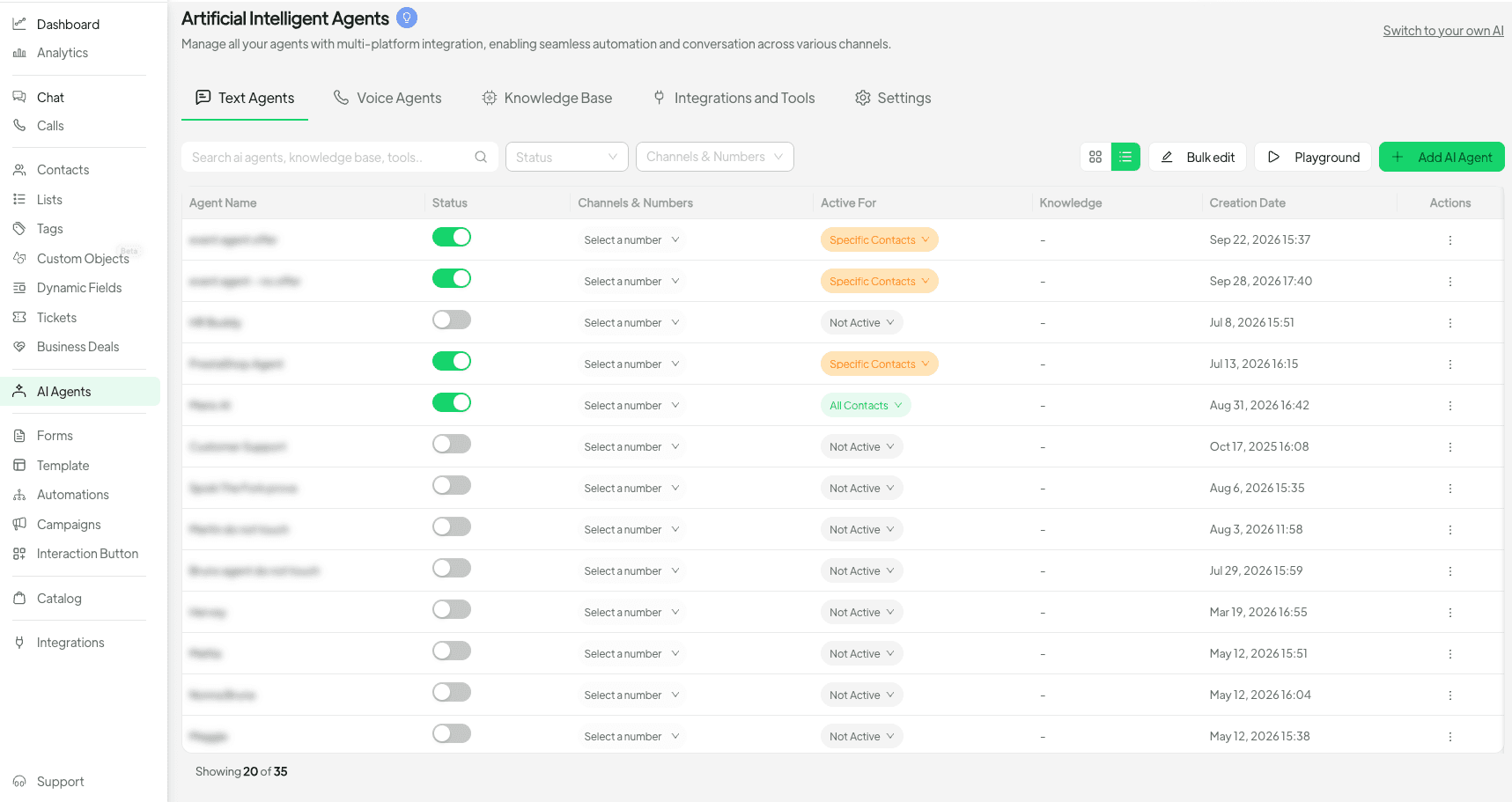
The most significant enhancement in Spoki’s AI Agents Redesign (v19.26.0) is the consolidation of essential information within a single, intuitive interface. Both the agents list and the agent editor have been meticulously redesigned to bring critical details to the forefront. This means that key elements such as the agent’s name, its core instructions, default reply, associated knowledge bases, and integrated tools are now all accessible and editable from one centralized location. This eliminates the need to jump between different tabs or sections, significantly speeding up the configuration process and reducing the likelihood of errors.
Imagine being able to see all the crucial parameters of your customer service bot at a glance, or quickly modifying its conversational flow without losing context. This streamlined approach not only saves time but also provides a holistic view of each agent’s capabilities and purpose, making management more efficient and less prone to oversight. For marketing managers overseeing multiple campaigns or business owners managing diverse customer segments, this unified view is invaluable.
Enhanced Agent List for Quick Overview
The redesigned agents list provides a clear and concise overview of all your active and configured AI agents. At a glance, you can see the status, primary function, and key attributes of each agent. This makes it easy to identify which agents are performing well, which might need adjustments, and to quickly navigate to the specific agent you wish to edit. The improved visibility ensures that you maintain full control over your WhatsApp automation ecosystem.
Intuitive Agent Editor for Seamless Configuration
The agent editor is where the magic truly happens. With the new design, configuring an AI agent is no longer a daunting task. All essential fields are logically grouped and easily accessible. Whether you’re defining the agent’s personality through its instructions, setting up its fallback responses, or integrating new knowledge sources and tools, the process is fluid and straightforward. This intuitive layout empowers users of all technical proficiencies to build and refine powerful AI agents.
Building Your AI Agent: Templates or Spoki AI Guidance
Spoki understands that not everyone starts with a blank slate. That’s why the AI Agents Redesign offers two powerful pathways to kickstart your agent creation process:
Start from Ready-Made Templates
For those who prefer a structured approach or need to deploy agents quickly for common use cases, Spoki provides a selection of ready-made templates. These templates are pre-configured with common instructions, default replies, and even suggested knowledge bases and tools for specific business scenarios. For example, you might find templates for:
- Customer Support Agent: Designed to answer FAQs, provide order status, and escalate complex queries.
- Sales Lead Qualification Agent: Built to engage prospects, gather essential information, and qualify leads before handing them over to a human agent.
- Appointment Booking Agent: Capable of scheduling meetings or service appointments directly through WhatsApp.
Starting with a template significantly reduces setup time, allowing you to get your AI agent up and running faster. You can then customize the template to perfectly align with your brand voice and specific operational needs.
Let Spoki AI Guide Your Setup
For a more personalized and guided experience, Spoki AI can now assist you through the setup process in a short, interactive chat. This innovative feature acts as your personal AI assistant, asking relevant questions about your agent’s purpose, target audience, and desired functionalities. Based on your responses, Spoki AI will intelligently suggest instructions, default replies, and even recommend relevant knowledge and tools. This is particularly beneficial for users who are new to AI agent creation or have unique requirements that might not fit a standard template.
This guided setup ensures that even complex agents can be configured accurately and efficiently, leveraging the power of AI to build AI. It’s like having an expert consultant available 24/7 to help you design the perfect WhatsApp chatbot for your business.
Edit and Evolve: AI-Powered Agent Modification
One of the most frustrating aspects of traditional AI agent management is the need to rebuild an agent from scratch every time a significant change is required. Spoki’s AI Agents Redesign eliminates this inefficiency. Owners and admins now have the power to ask AI to generate or edit an agent later, without the cumbersome process of starting over. This feature is a game-changer for maintaining dynamic and responsive WhatsApp automation.
Imagine your business introduces a new product line, updates its return policy, or launches a seasonal promotion. Instead of manually sifting through instructions and knowledge bases, you can simply instruct Spoki AI to update the relevant agent. For example, you could say: “Update the customer service agent to include information about our new loyalty program” or “Adjust the sales agent to prioritize inquiries about product X for the next month.” Spoki AI will then intelligently integrate these changes, ensuring your agents are always up-to-date and providing accurate information to your customers.
This capability significantly reduces the maintenance burden and ensures that your WhatsApp chatbots can quickly adapt to evolving business needs and customer expectations. It empowers you to continuously refine and improve your customer communication strategy without extensive technical effort.
Seamless Knowledge and Tool Integration
Effective AI agents rely on access to accurate information and the ability to perform specific actions. The AI Agents Redesign introduces a much-improved method for attaching knowledge and tools:
Dedicated Windows with Search Functionality
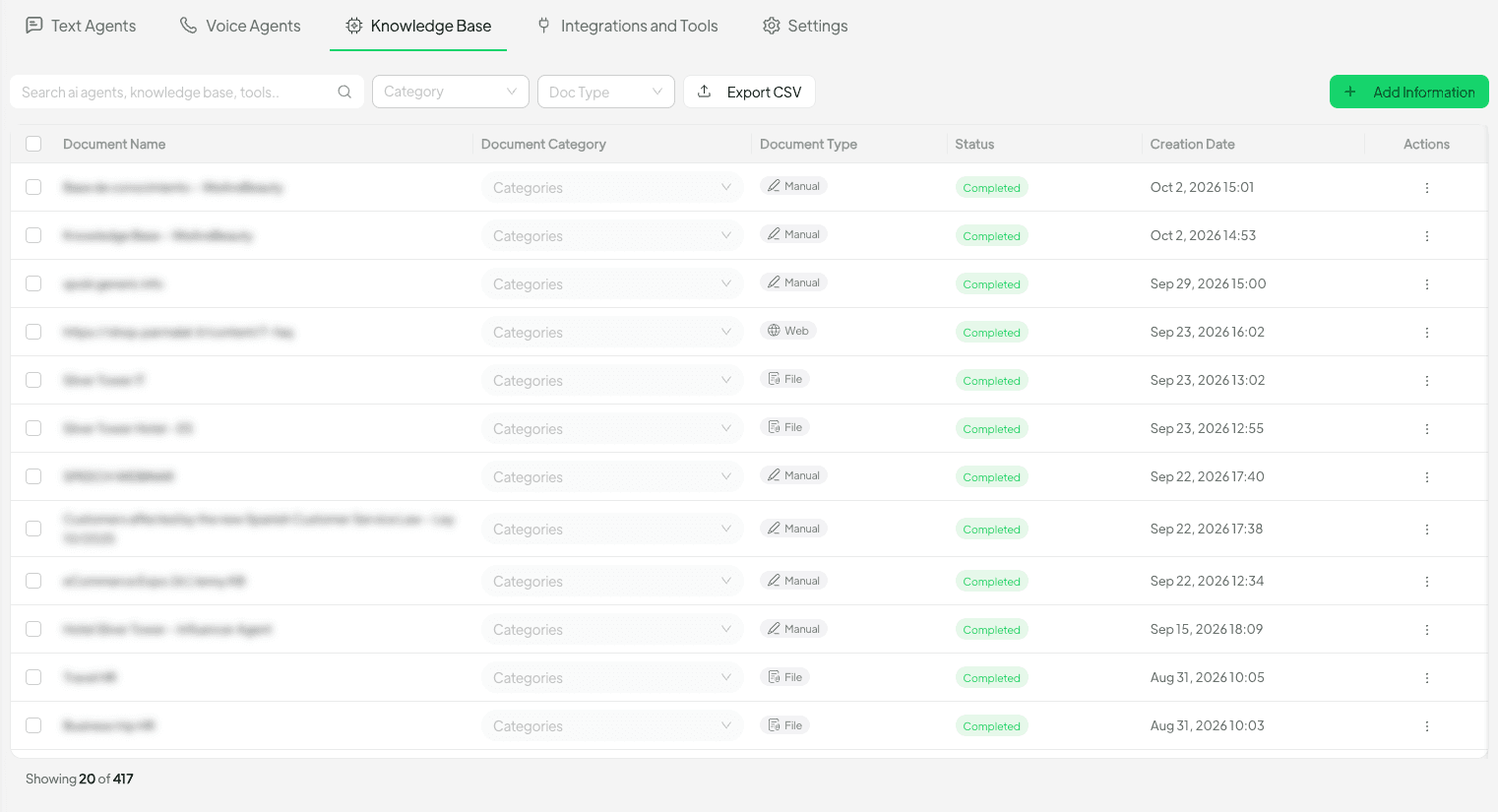
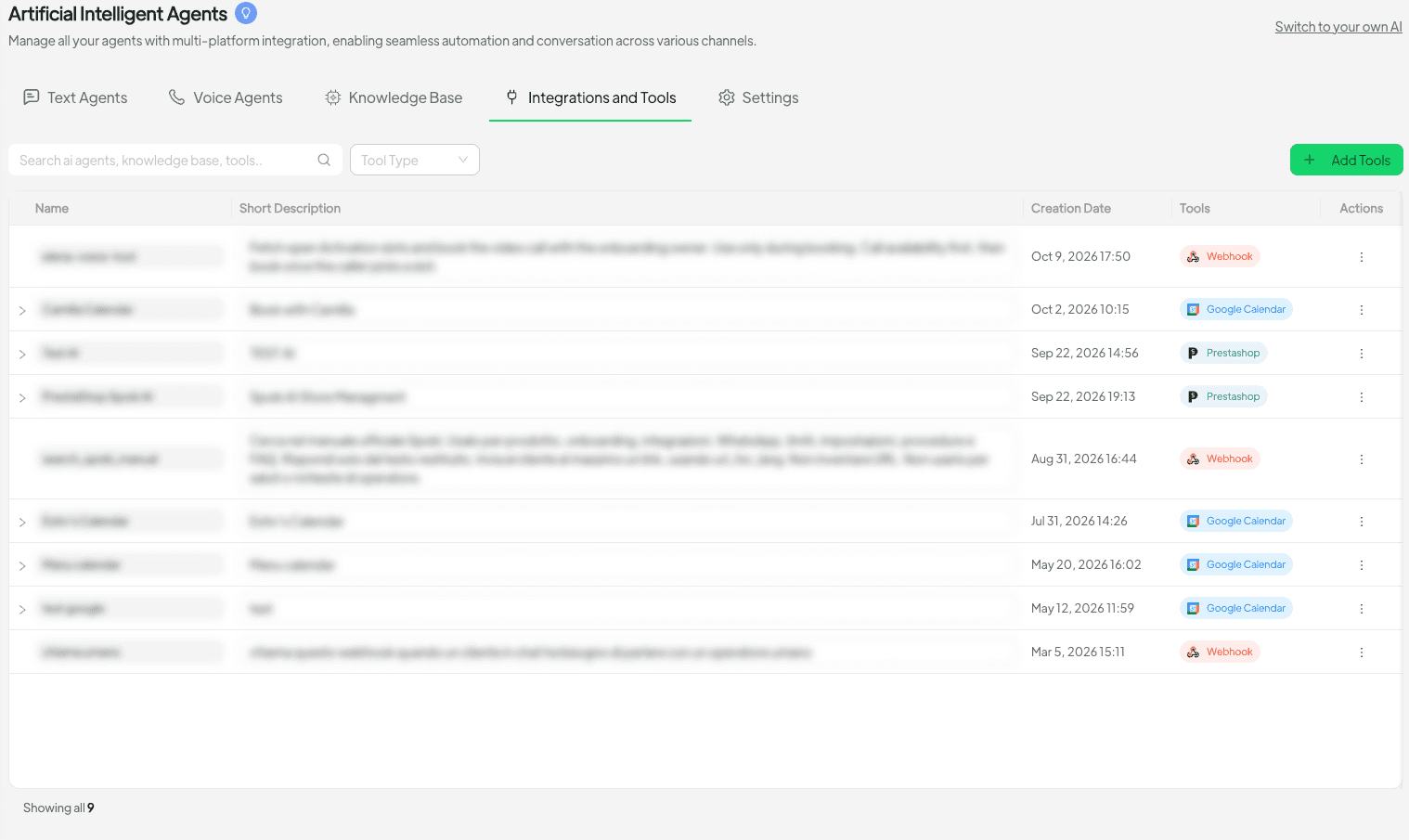
Gone are the days of scrolling through long, unwieldy dropdown menus. Spoki now provides dedicated windows for attaching knowledge bases and tools, complete with robust search functionality. This means you can quickly find and link the exact information or utility your agent needs. Whether it’s a comprehensive FAQ document, a product catalog, or an integration with your CRM, attaching these resources is now a breeze.
This intuitive search and selection process ensures that your agents are always equipped with the most relevant information, leading to more accurate and helpful responses for your customers on WhatsApp. For businesses with extensive product lines or detailed service offerings, this feature is invaluable for maintaining organized and effective AI agents.
Real-time Testing in a Side Panel
Configuring an AI agent without the ability to test it in real-time can be a frustrating experience, often leading to multiple iterations and delays. Spoki’s redesign addresses this by integrating a conversation test panel directly into the agent configuration interface. As you make changes to your agent’s instructions, knowledge, or tools, you can immediately test a conversation in a side panel.
This real-time feedback loop allows you to:
- Verify that your agent understands user queries correctly.
- Ensure that it provides accurate and relevant responses.
- Test different conversational paths and edge cases.
- Fine-tune the agent’s behavior before deployment.
This iterative testing process dramatically speeds up agent development and ensures that your WhatsApp automation solutions are robust and perform as expected, enhancing customer satisfaction from day one.
Tailored Agent Experiences: Voice and Text Optimization
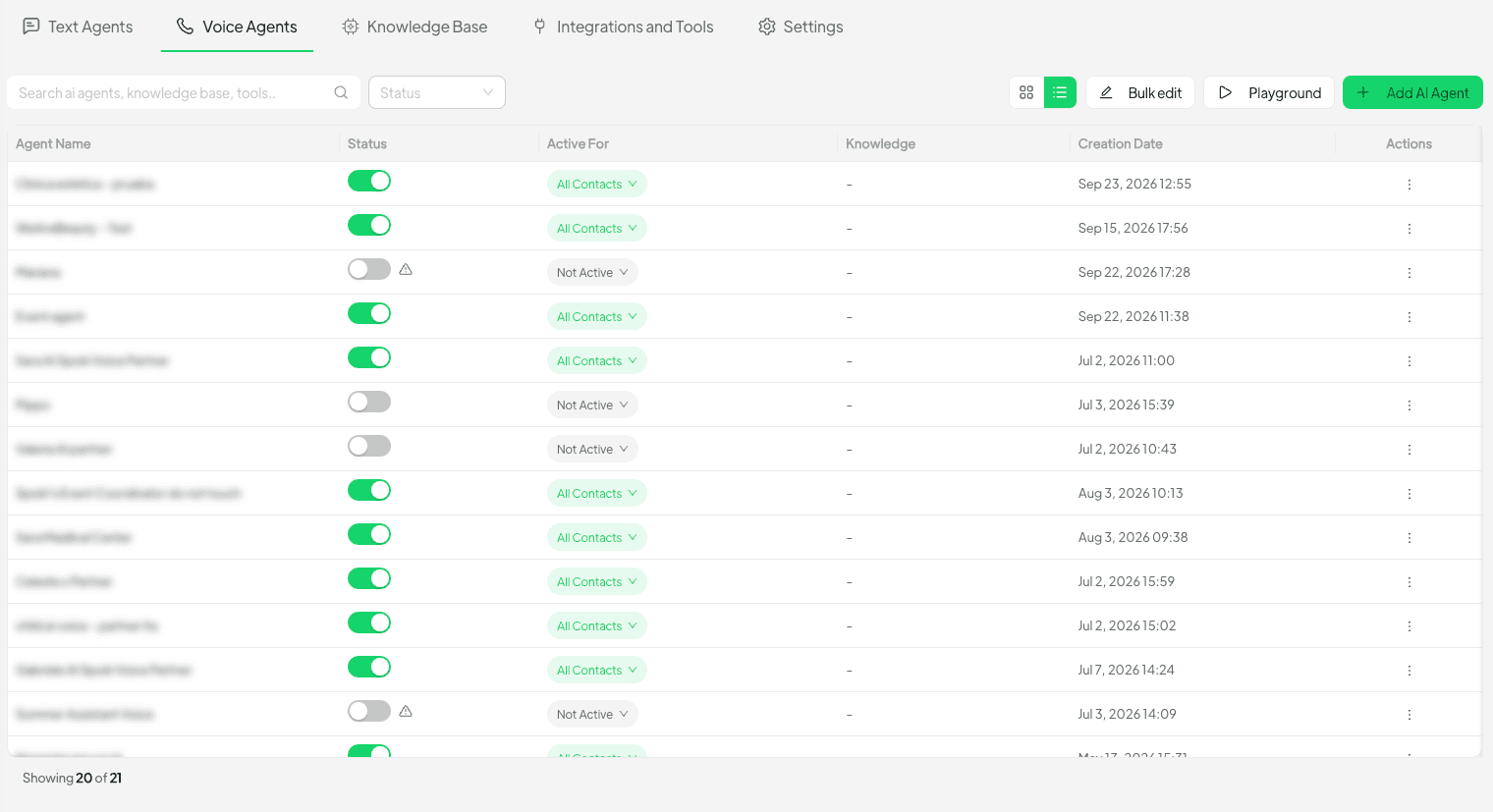
Recognizing that different communication channels have unique requirements, Spoki’s AI Agents Redesign intelligently adapts the interface based on the agent’s primary mode of interaction. Voice and text agents each show only what they support, streamlining the configuration process further.
- Text Agents: For agents primarily interacting via text on WhatsApp, the interface will focus on text-based instructions, knowledge articles, and tools relevant to written communication.
- Voice Agents: If you’re configuring a voice-enabled agent, the interface will highlight settings pertinent to voice recognition, natural language understanding for spoken queries, and voice-specific responses.
This intelligent filtering reduces clutter and ensures that you are only presented with the options relevant to your specific agent type, making the configuration process even more efficient and user-friendly.
Practical Use Cases for WhatsApp Automation with Spoki
The enhanced AI agent capabilities unlocked by Spoki’s redesign have profound implications for businesses using the WhatsApp Business API. Here are some practical use cases:
Automated Customer Support on WhatsApp
Imagine a customer sending a message to your WhatsApp Business account asking, “What’s my order status?” or “How do I return an item?” With a Spoki AI agent, these common queries can be instantly answered 24/7. The agent can access your CRM data (via integrated tools) to provide real-time order updates or guide the customer through the return process by pulling information from your knowledge base. This significantly reduces the workload on your human support team, allowing them to focus on more complex issues, and provides immediate gratification for your customers.
Lead Qualification and Nurturing
For marketing managers, lead generation and qualification are critical. A Spoki AI agent can engage new prospects who reach out via WhatsApp, asking qualifying questions like, “What kind of product are you interested in?” or “What’s your budget?” Based on the responses, the agent can then provide relevant product information, direct them to specific landing pages, or even schedule a call with a sales representative. This ensures that your sales team receives pre-qualified leads, improving conversion rates and sales efficiency.
Proactive Customer Engagement and Notifications
Beyond reactive support, Spoki AI agents can power proactive engagement. For e-commerce operators, this means sending automated shipping updates, delivery confirmations, or even personalized product recommendations based on past purchases. For service-based businesses, appointment reminders or service completion notifications can be automated. All these communications happen directly within WhatsApp, a channel customers prefer, leading to higher engagement rates and improved customer satisfaction. Remember, all proactive messages must comply with WhatsApp Business API policies, requiring customer opt-in.
Personalized Marketing Campaigns
Leveraging customer data and Spoki’s AI capabilities, businesses can run highly personalized marketing campaigns on WhatsApp. An AI agent can segment customers based on their interests or purchase history and send targeted promotions or content. For example, if a customer previously bought a specific type of product, the AI agent could send them a message about a new accessory for that product or a related item. This level of personalization drives higher engagement and conversion rates, making your marketing efforts more effective.
Feedback Collection and Surveys
After a purchase or service interaction, a Spoki AI agent can automatically send a short survey or request feedback via WhatsApp. This makes it incredibly convenient for customers to provide their input, leading to higher response rates than traditional email surveys. The collected feedback can then be analyzed to identify areas for improvement in your products, services, or customer experience.
Where to Find It: AI → Spoki Agent
Accessing these powerful new features is straightforward. Simply navigate to AI → Spoki Agent within your Spoki platform. Here, you’ll find the redesigned interface ready to help you build, manage, and optimize your WhatsApp AI agents with unparalleled ease.
Conclusion: Elevate Your WhatsApp Automation with Spoki
The AI Agents Redesign (v19.26.0) from Spoki represents a significant leap forward in WhatsApp automation. By centralizing essential information, offering intelligent setup guidance, enabling seamless editing, and providing robust testing capabilities, Spoki empowers marketing managers, business owners, e-commerce operators, and SMBs to build and manage highly effective AI agents with unprecedented clarity and speed. This update is not just about new features; it’s about transforming the way you interact with your customers, driving efficiency, and ultimately fostering stronger relationships through intelligent, automated communication.
Harness the power of AI to streamline your customer support, supercharge your sales efforts, and deliver personalized experiences that set your business apart. Explore how Spoki can integrate with your existing systems and enhance your communication strategy by reviewing our WhatsApp Business API Documentation or checking out our Spoki Blog for more insights.
Ready to experience the future of WhatsApp automation? Start for free with Spoki — no credit card required.