AI Voice Agents for Clinics: How to Automate Appointments, Reminders and Patient Calls
Content
An AI voice agent for clinics is a phone assistant that answers every patient call, books, moves or cancels appointments directly in the practice calendar, sends confirmations and reminders, answers routine questions and passes anything urgent to staff with a summary, without ever giving medical advice. For dental practices, physiotherapy centres, aesthetic clinics, veterinary practices and private medical centres, it is the fastest way to stop losing patients to a busy line.
This guide covers what a clinic voice agent does at each stage of the patient journey, how to set one up step by step, what GDPR and the EU AI Act require, and how to choose a provider. Product facts were checked on spoki.com on 11 November 2026.
Why the phone is still the bottleneck in clinics
Many clinics still take a large share of their bookings by phone, and the same small front-desk team has to greet patients at the counter, take payments and answer the line. The result is predictable:
- Calls go unanswered at peak times, typically first thing in the morning and right after lunch, exactly when new patients try to book.
- After-hours calls are lost. A patient with toothache at 9 p.m. calls the next clinic on the list.
- Routine calls crowd out important ones. “What time do you open?” and “Can I move my appointment?” take the same line as a post-operative patient who needs help.
- No-shows cost chair time. Without systematic confirmations, empty slots are discovered when it is too late to refill them.
An AI voice agent does not replace your receptionists. It takes the repetitive, high-volume calls off their plate so they can focus on the patients in front of them.
What an AI voice agent does across the patient journey
The real value appears when the agent is connected to your calendar and your CRM, so every call becomes an action and not just a message. Here is how it maps to each stage:
| Journey stage | What the voice agent does | What gets updated |
|---|---|---|
| Capture | Answers every inbound call 24/7, including evenings, weekends and holidays; calls back missed calls and web-form leads within seconds | New contact created with source and reason for the call |
| Qualification | Asks why the patient is calling, new vs existing patient, treatment of interest, preferred clinic and time; flags urgency signals | Contact segmented by treatment, location and status |
| Booking | Offers available slots, books, reschedules or cancels against the real practice calendar | Appointment created or moved; confirmation sent |
| Reminders | Places confirmation calls or sends reminders by WhatsApp, SMS or email; rebooks cancellations on the spot | Appointment status (confirmed, moved, cancelled) |
| Support | Answers opening hours, location, parking, preparation instructions, prices of standard treatments, documents to bring | Call summary and transcript logged |
| Retention | Runs recall calls for check-ups, periodic exams or follow-ups, only to patients who have given consent | Recall outcome and next appointment |
Capture: no more missed calls
The first job is simple: pick up every call. A voice agent answers in the first ring, in parallel, so ten patients calling at 9:00 do not hear a busy tone. Calls that arrive while the clinic is closed are handled the same way, and missed calls from your main line can trigger an automatic callback.
As a Spoki-reported example, a veterinary clinic that deployed Spoki Voice for after-hours triage and emergency routing went from 68% to 4% missed calls (source: Spoki Voice customer results).
Qualification and triage, without medical advice
A good clinic agent asks short, structured questions: reason for the call, new or existing patient, which treatment, which location, preferred days. It also listens for urgency signals defined by your team (severe pain, bleeding, post-surgery complications) and escalates immediately to a human with a summary of what was said.
What it must never do is diagnose or recommend treatment. That rule belongs in the agent’s instructions from day one, together with a clear instruction to direct life-threatening situations to the emergency number (112 in the EU).
Booking, rescheduling and cancellations
Booking is where clinics save the most time. The agent reads availability by practitioner and room, proposes slots, confirms the appointment and sends the details by the channel the patient prefers. Rescheduling is the same flow in reverse: find the current appointment, offer alternatives, move it, confirm.
Reminders and fewer no-shows
Automatic confirmation calls and reminders are the most direct lever on no-shows, because a patient who cannot come can move the appointment in the same conversation and the slot is released for someone else. On its healthcare use-case page, Spoki reports 35% fewer no-shows with automatic reminders and 40% less front-desk time on routine calls (Spoki-reported figures, Spoki Voice for Healthcare).
Patient support and retention
Many calls are questions that already have an answer: opening hours, address, how to prepare for a scan, which documents to bring. The agent answers them consistently, in the patient’s language, and logs every call. On the retention side, it can call patients who have consented to be contacted when a check-up, a periodic exam or a follow-up is due, and book the next visit in the same call.
How to set up an AI voice agent in your clinic: 7 steps
- List your call types. Pull a week of calls and group them: new bookings, changes, cancellations, questions, results, urgent. You will usually find that a handful of categories cover most of the volume.
- Decide what the agent handles and what it escalates. Booking, rescheduling, reminders and FAQs go to the agent; clinical questions, complaints and urgent cases go to staff, with a summary.
- Connect the calendar and the CRM. The agent needs real availability per practitioner, plus a place to store contacts, appointments and call outcomes. Without this, it can only take messages.
- Write the script and the guardrails. Greeting, AI disclosure, questions to ask, treatments and prices it may quote, words that trigger escalation, and the “no medical advice” rule.
- Choose the follow-up channels. Decide what is sent after each call: a WhatsApp confirmation, an SMS reminder, an email with preparation instructions. Voice can also run on its own if you only want phone automation.
- Test with real scenarios. Have staff call as patients: noisy rooms, elderly callers, accents, people who interrupt, people who change their mind halfway through.
- Launch on one line, measure, extend. Start with after-hours or overflow calls, track answered calls, bookings, escalations and no-shows, then extend to the main line and to outbound reminders.
GDPR, health data and the EU AI Act
Clinics handle some of the most sensitive data there is, so compliance is not optional:
- Health data is a special category under Article 9 GDPR. Collect only what the call needs (data minimisation), define retention periods for recordings and transcripts, and restrict access.
- Sign a data processing agreement (DPA) with the voice-agent provider, which acts as your processor under Article 28 GDPR, and check where the data is hosted.
- Tell callers they are speaking with an AI. Under Article 50 of the EU AI Act, applicable since 2 August 2026, people must be informed when they interact directly with an AI system, unless it is obvious. A one-line disclosure in the greeting solves it.
- Outbound calls need a legal basis. Reminders for appointments the patient booked are part of the service; promotional recalls need consent.
None of this is legal advice; involve your data protection officer when you design the flows.
What to look for when choosing a voice agent for a clinic
- Latency and natural conversation. Pauses longer than a second make callers talk over the agent. Ask for the end-to-end figure and test it on a real call.
- Noise handling. Patients call from cars, streets and waiting rooms. Noise cancellation should be tested, not assumed.
- Real calendar and CRM actions, not just message taking.
- Escalation with context. The human who picks up should receive the transcript and a summary.
- Follow-up on other channels. WhatsApp, SMS and email confirmations in the same patient history.
- EU hosting, DPA and PII redaction for regulated sectors.
- Fast setup and easy edits. Your team should be able to change the script without a developer.
For a broader market view, see our comparison of the best AI voice agents for business in 2026 and Spoki vs Retell vs Vapi.
How Spoki Voice works for clinics
Spoki is the agentic conversational CRM: voice, WhatsApp, SMS and email in a single thread per patient, with AI agents that answer calls and messages instantly, qualify requests, book appointments and keep the CRM up to date, so your team steps in only when it adds value. Spoki helps companies around the world and is an official Meta Business Partner.
Spoki Voice, its AI voice agent, brings that to the clinic phone line:
- End-to-end latency under 600 ms, so conversations flow without awkward pauses.
- Noise cancellation that keeps calls working even in very noisy environments.
- Standalone or combined. Voice can be bought on its own, without WhatsApp. It is connected to the whole Spoki CRM and all channels, so the same flow can call, then send a WhatsApp confirmation, an SMS reminder or an email recap.
- Actions, not just answers: segmentation, qualification, appointment booking, order creation and customer support during the call, with urgent cases escalated to staff with a full transcript and summary.
- Missed-call recovery and retries, with answering-machine detection and automatic fallback to WhatsApp or SMS (missed-call recovery).
- EU infrastructure and privacy controls: recordings and transcripts encrypted at rest and in transit, configurable retention, and signed DPAs and PII redaction in transcripts for regulated industries such as healthcare.
- Connected to 4,000+ tools, with native integrations including HubSpot, Salesforce, Pipedrive, Calendly and Google Sheets, plus REST APIs and webhooks for practice management systems.
- Live in days: Spoki states that a standard agent goes live in 1–3 days; complex integrations can take 1–2 weeks.
- Transparent pricing: on the pricing page the AI agent costs €0.10 per minute on top of the per-country telephony rate (€0.030 + €0.10 = €0.130 per minute in the listed example), plus the subscription.
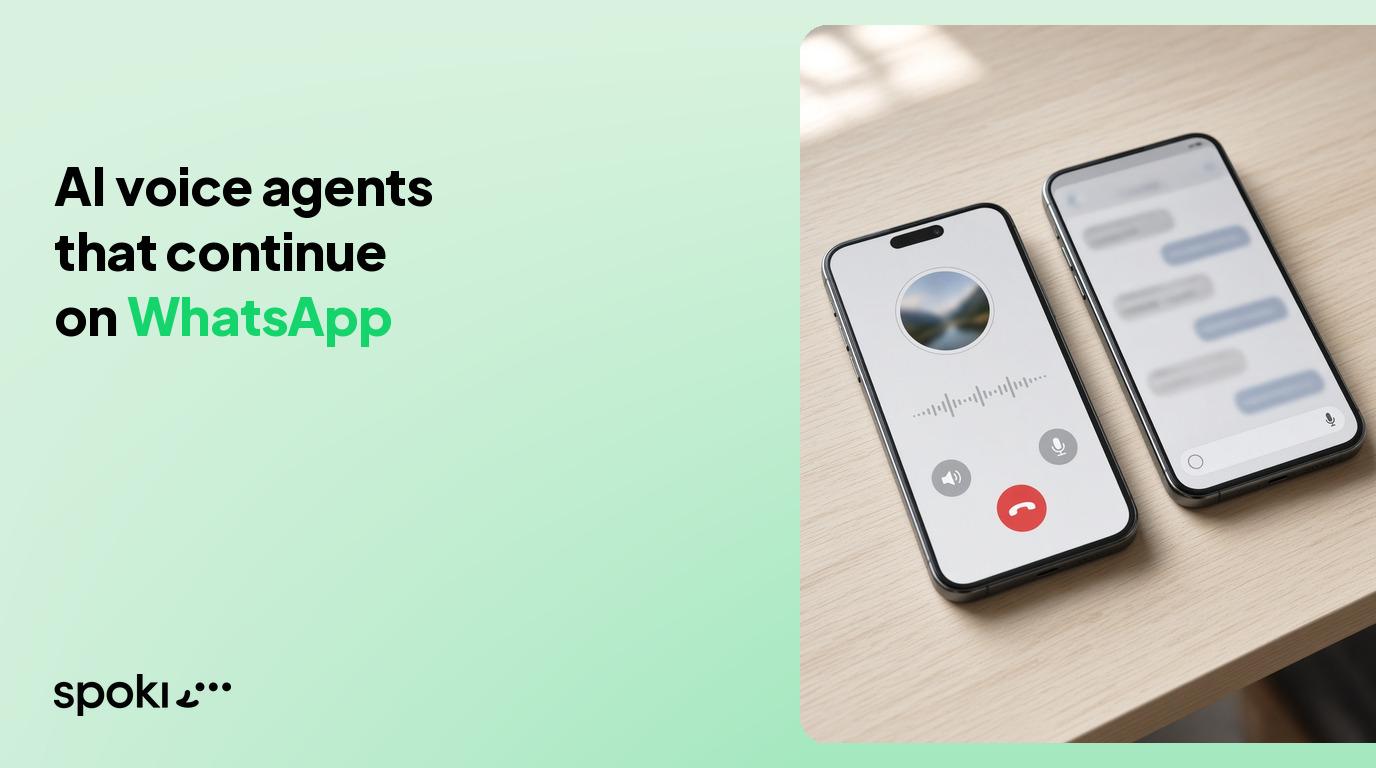
If your clinic already uses WhatsApp for reminders, read WhatsApp for healthcare and our guide to AI voice agents that continue on WhatsApp.
FAQ
What is an AI voice agent for clinics?
It is AI software that answers and makes phone calls for a clinic: it books, reschedules and cancels appointments in the practice calendar, sends reminders, answers routine questions and escalates urgent calls to staff with a summary.
Can an AI voice agent give medical advice?
It should not. A clinic voice agent should be configured to never diagnose or recommend treatment, to escalate urgent symptoms to staff and to direct emergencies to 112.
Is an AI voice agent GDPR-compliant for health data?
It can be, if the provider hosts data in the EU, signs a DPA, encrypts recordings and transcripts, lets you set retention and minimises the data collected. Spoki Voice runs on EU infrastructure and offers signed DPAs and PII redaction for healthcare.
Do patients have to be told they are talking to an AI?
Yes. Since 2 August 2026, Article 50 of the EU AI Act requires that people are informed when they interact directly with an AI system, unless it is obvious. A short disclosure in the greeting is enough.
Does it work with noisy calls and elderly patients?
Spoki Voice includes noise cancellation that allows calls even in very noisy environments, and its latency under 600 ms keeps the conversation natural. Test it with your own patient scenarios before going live.
Do I need WhatsApp to use Spoki Voice?
No. Spoki Voice can be bought standalone. WhatsApp, SMS and email are optional follow-up channels in the same patient history.
How long does it take to launch?
Spoki states that a standard Spoki Voice agent goes live in 1–3 days, while complex integrations can take 1–2 weeks.
Conclusion
For clinics, the phone is where patients are won or lost. An AI voice agent that answers every call, books directly in the calendar, confirms by the patient’s preferred channel and escalates what matters gives your front desk time back without making patients wait. Start with after-hours and overflow calls, measure answered calls, bookings and no-shows, and extend from there.
Want to hear it? Request the free live demo on Spoki Voice, where the agent calls you back within about 60 seconds, or explore Spoki Voice for Healthcare.
Sources (checked 11 November 2026)
- Spoki Voice product page and FAQ
- Spoki Voice for Healthcare use case
- Spoki pricing
- European Commission, transparency obligations under Article 50 of the AI Act
- GDPR, Articles 9 and 28
- Official Spoki Voice latency (under 600 ms) and noise cancellation: confirmed by Spoki.