Spoki Pixel: what it is and how it turns web visits into WhatsApp sales
Content
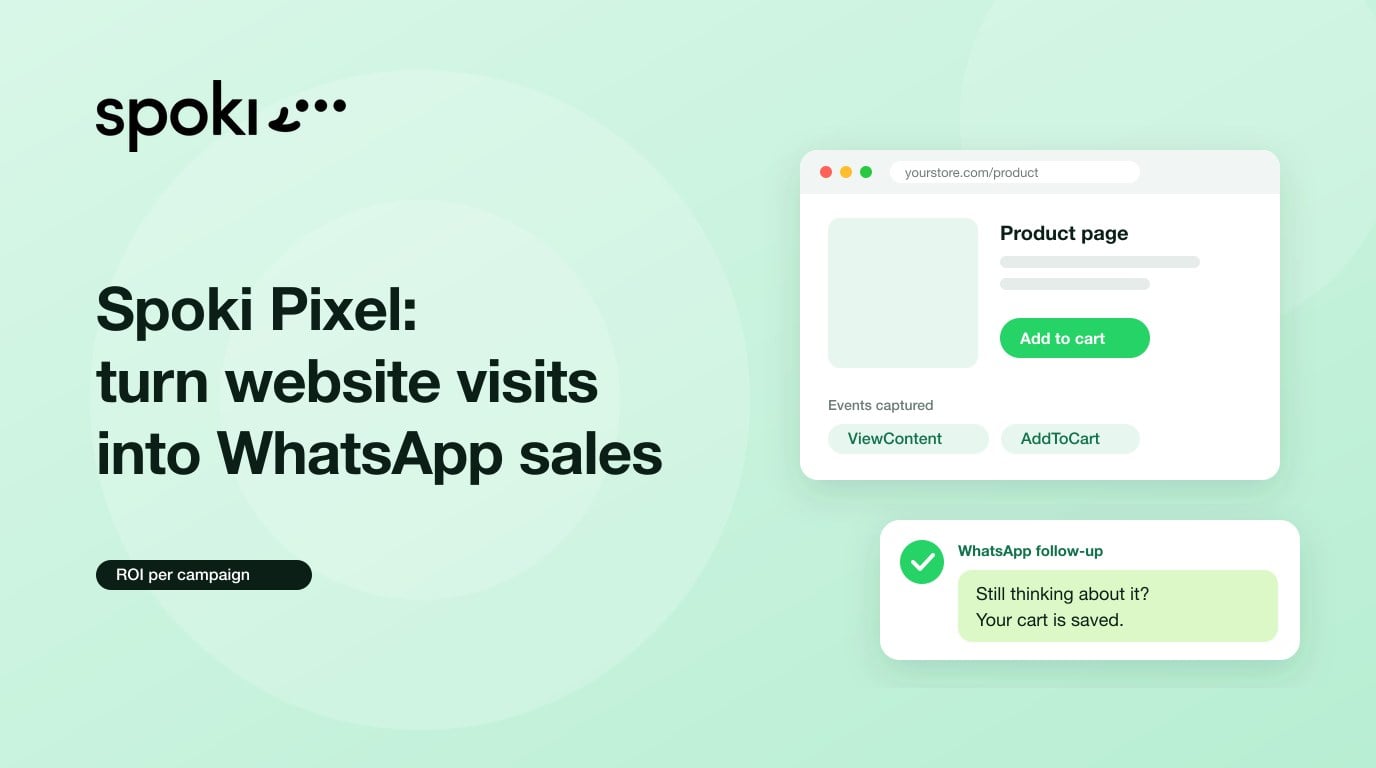
Quick answer: Spoki Pixel is Spoki’s website tracking feature. A single line of code records what visitors do on your site (page views, products, carts, purchases and custom events), links those actions to the contact and the WhatsApp campaign that brought them, and uses them to trigger WhatsApp automations and measure the real ROI of every message.
WhatsApp tells you a message was delivered and read. Your website knows who bought. Until now, those two data points lived in separate tools, and the most important question of any campaign, how much revenue did this message generate?, was answered with a guess. Spoki Pixel connects the two. In this guide you will learn what it is, how to install it without a developer, what it can track, how it attributes revenue, which automations it triggers and how to use it in line with the GDPR.
Spoki Pixel at a glance
| Feature | Details |
|---|---|
| What it is | A one-line JavaScript snippet you paste once into your website header |
| Standard events | 17, using the same names as Meta (ViewContent, AddToCart, Purchase, Lead…) |
| Automation triggers | 20 ready-to-use scenarios, plus your own custom events |
| Attribution window | 7 days from the click on the campaign link |
| Platforms | WordPress, Shopify, Wix, Webflow and any custom-built website |
| Meta Pixel | Can reuse its standard events without double counting, or ignore it entirely |
| Privacy | IP addresses turned into an irreversible code, form text never read, card and IBAN data masked, option to wait for cookie consent |
| Where to enable it | In your Spoki account, under Integrations |
Table of contents
- What is Spoki Pixel?
- What problem does it solve?
- How to install Spoki Pixel in 3 steps
- What it can track: standard events, custom events and Meta Pixel
- How it attributes revenue and calculates ROI
- WhatsApp automations based on website behavior
- 6 playbooks you can launch today
- Spoki Pixel vs Meta Pixel vs Google Analytics 4
- Privacy, GDPR and performance
- Pre-launch checklist
- Frequently asked questions
- Glossary
What is Spoki Pixel?
Spoki Pixel is a lightweight website tracking script built into the Spoki platform. You paste it into your site once and it starts recording, page by page, what each visitor does. Unlike an advertising pixel, its goal is not to optimize ads but to connect on-site behavior with your WhatsApp conversations.
It works on two layers that build on each other:
- A tracker for every visitor. You don’t need to send any campaign from Spoki. Spoki Pixel counts visitors, page views and events from any source, and shows you which pages and products get the most attention.
- From anonymous visitor to real contact. When a contact opens the link in a WhatsApp message sent with Spoki, everything they do next on your site (visits, carts, purchases) is linked to that person and that campaign.
You can see the full feature overview on the Spoki Pixel page.
What problem does it solve?
When you send a WhatsApp campaign, the platform gives you messaging metrics: sent, delivered, read and clicked. After the click, the trail goes cold. You don’t know whether the person viewed the product, added it to the cart or bought, so you don’t know which campaigns deserve more budget.
With Spoki Pixel, the whole funnel lives in one place:
- Message sent, delivered and read.
- Visit counted, page by page.
- Products viewed and added to cart.
- Purchase linked to the campaign and the contact.
- Revenue, conversions and ROI per campaign.
The result: every campaign ends with a real revenue figure, not an estimate.
How to install Spoki Pixel in 3 steps
No developer needed. The whole process takes a few minutes:
- Register your website. In Spoki, open Integrations, enable Spoki Pixel and, in the Create Snippet tab, enter your website address and give it a name. Choose the actions you want to track or start with the recommended set.
- Paste one line of code. Copy the snippet Spoki generates (it already includes your website’s real ID) and paste it once into the header. WordPress, Shopify, Wix and Webflow all have a “custom code” or “header scripts” field for this.
- Check that data is coming in. Open Analytics, then Pixel. Visitors, clicks and leads appear within seconds of the first visit, and a green light shows that the pixel is receiving events.
What it can track: standard events, custom events and Meta Pixel
Page views are always on. Every other action can be added in a few clicks, in three ways that work together:
17 standard events
These are the same events Meta uses, such as ViewContent, AddToCart, Purchase and Lead, so your team already knows them. You pick one and Spoki suggests where on the page it should fire. On every purchase, Spoki reads the order total, the currency and each product in the cart, and turns prices in any local format (“€29,00” or “$1,299.99”) into clean numbers.
No-code custom events with Spoki Tracker
Name any action (“Download catalog”, “Submit contact form”) and point it at a page element using a selector. Spoki fires the event when a visitor clicks it, submits it, scrolls it into view or focuses on it. If you prefer code, you can also send any event yourself.
Reuse your Meta Pixel
If your site already has a Meta pixel, turn on the bridge and Spoki will read the standard events that pixel already sends. You add no new tracking code and no event is counted twice. You can still layer your own custom events on top.
On top of that, links in the marketing emails you send with Spoki carry the same tracking, so email visits show up alongside WhatsApp visits.
How it attributes revenue and calculates ROI
The rule is simple: when a visitor arrives from a Spoki message and buys within the next 7 days, the sale is attributed to that message. Each campaign report shows:
- Visits and page views generated by the campaign.
- Click-through rate (CTR) and conversions on the thank-you page.
- Attributed revenue and the share of your total revenue generated by Spoki.
- ROI, comparing that revenue with what it cost you to send the campaign.
Every buyer is linked to their Spoki contact and added to a list that updates itself, ready for a thank-you message, a review request or your next offer. In the contact record, your sales and support teams see which pages, products and orders each person looked at before reaching out, so they can reply with context. To go further, pair it with the Spoki WhatsApp CRM.
WhatsApp automations based on website behavior
Spoki Pixel doesn’t just measure: it acts. In any automation, add a starting step, choose the Pixel behavior trigger (“Pixel behaviour” in the interface) and select one of the 20 ready-to-use scenarios. Then adjust the wait time to fit your business. The scenarios are grouped into three categories:
| Group | Example triggers | What it’s for |
|---|---|---|
| Did something | Visited a key page, viewed a product, reached checkout, purchased, cart above a set amount, submitted a form, downloaded a file, viewed the returns page | Respond at the moment of highest intent |
| Didn’t do it | Abandoned cart, abandoned checkout, viewed but never added to cart, started a form and didn’t submit it, clicked your message and left, went quiet after purchasing | Recover sales and leads that would otherwise be lost |
| Keeps doing it | Keeps returning to the same product, comes back but never buys, interested in a category, checks their order again and again | Spot repeated interest and act first |
In addition, the “Time on page” trigger starts an automation when someone stays on a specific page, such as your pricing page, for a set amount of time. Spoki only counts the time the page is actually visible on screen.
Three things worth knowing:
- The automation starts a few minutes after the visit, not instantly.
- If the automation is switched off, visits from that period are not processed later: keep it active.
- Each trigger has a cooldown period, so a contact never gets the same message twice in a row. Store triggers require e-commerce events such as AddToCart or Purchase.
6 playbooks you can launch today
1. Abandoned cart
Trigger: the contact added products and didn’t pay within the time you set. Message: remind them what they left behind, with a direct link to their cart. Metric: revenue recovered per campaign in the Spoki Pixel report.
2. Abandoned checkout
Trigger: they reached checkout and didn’t pay. They already entered their address, so they are closer to buying than an abandoned cart. Message: offer help with payment or shipping before offering a discount.
3. Pricing page with time on page
Trigger: the contact spends, for example, 90 seconds on your pricing page. Message: a summary of what each plan includes and a link to book a demo. Ideal for SaaS and service businesses.
4. Form started but not submitted
Trigger: they started filling in a form and didn’t submit it. It is the best trigger for websites that aren’t stores: clinics, agencies, real estate firms and gyms. Message: “Want me to help you finish your booking here?”
5. Clicked your message and left
Trigger: they arrived from a Spoki message, opened one page and did nothing else. This often means the page is broken or the product is out of stock. Action: check the landing page before resending anything.
6. Checks their order again and again
Trigger: they repeatedly open the order tracking page. Message: send the status and tracking link before they contact support. Fewer tickets, more trust.
Spoki Pixel, Meta Pixel and Google Analytics 4: how do they differ?
They don’t compete: each one answers a different question. Meta Pixel optimizes your Meta ads, Google Analytics 4 analyzes your website traffic and Spoki Pixel connects that traffic with your WhatsApp conversations.
| Spoki Pixel | Meta Pixel | Google Analytics 4 | |
|---|---|---|---|
| Main goal | Measure and activate WhatsApp from your website | Measure and optimize Meta ads | General site analytics |
| Links the visit to a WhatsApp contact | Yes | No | No |
| Triggers WhatsApp messages based on behavior | Yes, 20 triggers | No | No |
| Attributes revenue to WhatsApp campaigns | Yes, 7-day window | No | Only with UTMs and custom setup |
| Works alongside the others | Yes, and it can reuse Meta Pixel events | Yes | Yes |
Privacy, GDPR and performance
Spoki Pixel is designed to support GDPR compliance and to keep your website fast:
- No plain-text IP addresses: every IP is turned into an irreversible code before anything is stored.
- Typed text stays private: the pixel never reads what visitors type into forms, it only records that the form was submitted.
- Sensitive data masked: card numbers, IBANs and ID document numbers never leave the page.
- Wait for cookie consent: the pixel stays inactive until the visitor accepts your banner. It works with the Shopify banner, Cookiebot, OneTrust, iubenda and most consent management platforms.
- Don’t touch my Meta pixel: when enabled, Spoki does not read, modify or interact with your Meta Pixel.
- Fast and resilient: the script loads in the background and never blocks the page. If the connection drops, it stores events and sends them later, and it works on single-page apps that change without reloading.
Privacy options are set when you create the snippet or, for websites already connected, under Integrations, Spoki Pixel. Spoki also gives you a GDPR checklist before you go live.
Pre-launch checklist
- The snippet is pasted only once, in the header of every page.
- The green light in Analytics, Pixel, confirms that events are coming in.
- If you run a store, AddToCart and Purchase fire correctly, with amount and currency.
- If you already use Meta Pixel, you have decided whether to enable the bridge or the don’t-touch option.
- If you sell in the EU, the pixel waits for cookie consent and your privacy policy mentions it.
- Behavior-based automations are active and their messages use approved WhatsApp Business API templates.
Frequently asked questions
What is Spoki Pixel?
Spoki Pixel is Spoki’s website tracking feature. One line of code records page views, products, carts, purchases and custom events, links them to the contact and the WhatsApp campaign that brought them, and lets you trigger automations and measure the ROI of every message.
Do I need a developer to install it?
No. Spoki generates a single line of code that you paste once into the header or the custom code field of WordPress, Shopify, Wix, Webflow or any other website builder. Data starts coming in within seconds.
Do I have to run Spoki campaigns to use it?
No. On its own it tracks every visitor to your website, wherever they come from. Spoki campaigns add a second layer: when a contact opens the link in your WhatsApp message, their actions are linked to that person and that campaign.
I already use the Meta pixel. Do I have to track everything twice?
No. Turn on the Meta Pixel bridge and Spoki reads the standard events it already sends, such as ViewContent, AddToCart and Purchase, without counting them twice. If you prefer to keep them separate, the “don’t touch my Meta pixel” option prevents any interaction.
How does Spoki attribute revenue to a WhatsApp campaign?
If a visitor arrives from a Spoki message and buys within the next 7 days, the purchase is attributed to that message. The campaign report shows visits, CTR, conversions, revenue and ROI, and every buyer is linked to their contact.
Does it work on websites that aren’t online stores?
Yes. Page views, form submissions, downloads, bookings and custom events work on any website. Triggers such as “started a form and didn’t submit it” are designed for clinics, agencies, real estate firms and gyms.
Is Spoki Pixel GDPR compliant?
It is designed to support compliance: IP addresses are made irreversible before being stored, form content is never read, cards and IBANs are masked and the pixel can wait for cookie consent. Final responsibility for informing your visitors remains yours.
Does it slow down my website?
No. The script loads in the background and never blocks the page. A wrong setting only means an event gets skipped, it never breaks your website.
Glossary
- Spoki Pixel: a one-line JavaScript snippet that records visitor actions on a website and links them to Spoki contacts and campaigns.
- Standard event: one of the 17 predefined actions that use the same names as Meta, such as ViewContent, AddToCart, Purchase or Lead.
- Custom event: an action you name and attach to a page element, fired on click, submit, scroll into view or focus.
- Meta Pixel bridge: a setting that lets Spoki read the standard events of an existing Meta pixel without counting anything twice.
- Attribution window: the 7 days after a click on a Spoki campaign link during which a purchase is attributed to that campaign.
- Behavior trigger: one of the 20 ready-to-use conditions that starts a WhatsApp automation based on what happens on the website.
Start measuring what your messages earn
Open Integrations in Spoki, enable Spoki Pixel and paste one line into your website. Your first visitors will show up in Analytics within seconds. Get all the details on the Spoki Pixel page or connect your store from the integrations marketplace.
Last updated: October 26, 2026.